Item specifics are the structured fields in an eBay listing, such as brand, model, size, color, material and part number, that describe what you are selling in a form buyers can filter and compare. Fill in every field that truthfully applies, use eBay's suggested names and values where they fit, and enter "Does not apply" only where an identifier does not exist for your product. The rest of this guide explains which fields tend to be required, how to choose accurate values, what to do with parts and compatibility data, and how to keep a large catalog consistent.
What item specifics are and why buyers rely on them
An item specific is a labeled attribute attached to a listing. Where the title and description are free text, item specifics are structured data: a field called Brand with a value such as the manufacturer's name, a field called Color with a standard color value, and so on. Because the data is structured, eBay can use it to build the filters that appear beside search results.
That has two practical consequences for a seller. First, item specifics give buyers a way to filter search results to find what they are looking for, so a listing without the relevant field has less chance of appearing once a buyer applies a filter. Second, clear item specifics help buyers understand what they are buying and set realistic expectations, which the same guide connects to lower return rates. That second point is the one sellers often underweight. A complete set of attributes is not only a visibility measure; it is a way of stating the facts of the item before the buyer pays, which reduces the room for "not as described" disputes later.
It is worth being measured about the first claim. Filters are a visible, documented function of the search page, but the exact weight that item specifics carry in eBay's ranking is not something eBay publishes in detail, and sellers should treat any precise ranking claim, including ones in forum threads, with caution. What can be said with confidence is narrower and still useful: complete, accurate fields make a listing eligible for more of the paths a buyer can take to find it. For a wider look at the signals that affect visibility, our guide to eBay SEO and the ranking signals behind Cassini covers the title, category and price side of the question.
Required, recommended and optional fields
Three kinds of fields appear in the listing form, and treating them differently saves time.
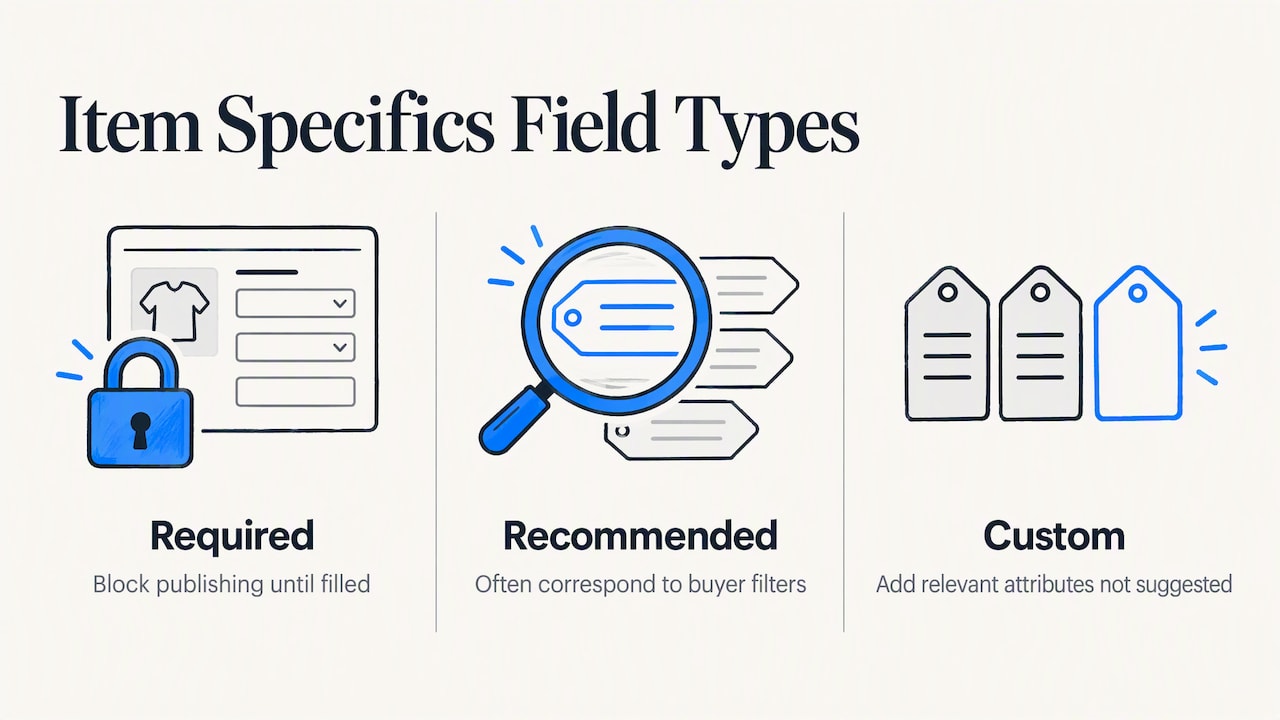
Required fields. In some categories eBay will not let you publish until a field has a value. Which fields are required depends on the category, which is why a listing for a pair of shoes and a listing for a replacement dishwasher pump prompt for different information. You do not need to memorize the list: the form flags required fields as you create the listing, and the flags change when you change the category. Choosing the right category first is therefore the real first step, because switching categories later can alter which fields apply and discard values you already entered.
Recommended fields. These are the attributes eBay suggests for the category. Many sellers skip them because they are not blocking. In practice, they are the fields most likely to correspond to filters, so they deserve the same attention as the required ones. A seller who completes only the mandatory fields has met the platform's minimum, not the buyer's expectation.
Custom fields. You can add your own name and value pairs when a relevant attribute is not on the suggested list. Use this sparingly. A custom field that duplicates an existing suggested one, with different spelling, splits your data and does nothing for filters. Check first whether the suggested name already covers what you want to say.
Using eBay's suggested names and values
Where the form offers a dropdown of values, choose from it rather than typing a variant. A standard value such as a recognized color or a manufacturer's name matches what buyers select in filters, while a creative variant such as a marketing color name may not. If the true description of the item is more specific than the dropdown allows, put the standard value in the item specific and the precise detail in the title or description. A navy item can carry the standard value Blue in the field and "navy" in the title, so you serve both the filter and the buyer who searches by the exact shade.
Choosing accurate values
The aim is to describe the item as it is, using the vocabulary buyers already use. A few working rules help.
- Copy from the item, not from memory. Read brand, model and part numbers from the label or packaging, not from a similar item you listed last month. Transposed digits in a model number are among the most common causes of a mismatched purchase.
- Prefer one value per field when one is true. If a field allows several values, add more than one only when each is accurate. Padding a field with values that nearly apply makes the listing appear in filters where the buyer will then be disappointed.
- Be specific about condition-related attributes. Fields that describe wear, completeness or testing status should match the condition you select and the photos you show. A mismatch between the two is a straightforward source of disputes.
- Keep units and formats uniform. Choose one convention for measurements and stick to it across the catalog, so sorting and comparison stay meaningful.
- Do not stuff. Brand names you do not carry, "compatible with" lists you have not verified and keywords unrelated to the item add risk without adding relevance.
Fields that do not apply
Some products genuinely lack an identifier. Handmade goods, vintage pieces and unbranded parts often have no GTIN or MPN. In that situation, sellers can enter the phrase Does not apply in fields such as GTIN or MPN, a method documented by an e-commerce platform that integrates with eBay. The principle behind it is the honest one: state that the identifier does not exist rather than inventing one. An invented barcode or part number may pass the form but will not match any real product and can cause trouble later, either through a mismatch with catalog data or through a buyer who relies on it.
The converse also holds. Do not use "Does not apply" to avoid typing a value that does exist. If the manufacturer part number is printed on the item, enter it.
Item specifics for appliance parts
Appliance parts are a category where item specifics carry unusual weight, because the buyer's central question is not "do I like this?" but "will this fit my machine?". A buyer holding a broken washer or oven usually starts from the appliance's model number and works toward a part. That shapes how you should structure your data.
The identifiers buyers search by
For most parts listings, the following fields do the heavy lifting:
| Field | What to enter | Why it matters |
|---|---|---|
| Brand | The appliance or part manufacturer, as printed | Buyers filter by the brand of their machine |
| Manufacturer Part Number | The exact number on the part or its packaging | The most direct match for a replacement search |
| Model compatibility | The appliance models the part is verified to fit | Answers the fit question before the buyer asks |
| Part type | A plain label such as door gasket, heating element or control board | Matches how buyers describe the failed component |
| Appliance type | Washer, dryer, refrigerator, range, dishwasher | Narrows to the correct category of machine |
| Condition and testing status | New, used, or tested working, matching your condition choice | Prevents disputes over parts that were never verified |
Two habits improve this table in real use. First, record cross-references. Many parts carry an original number and one or more superseded or alternate numbers, and buyers may search by any of them. Put the number printed on the part in the formal field and mention the known alternates in the description. Second, list compatible models only when you have confirmed them from the manufacturer's documentation or from a part you have physically matched. An unverified compatibility list is the fastest route to a return, and a returned part you cannot resell costs more than the sale earned.
A worked example
Suppose you are listing a used, tested door latch assembly from a front-load washer. The brand field takes the manufacturer's name, the part number field takes the number stamped on the latch, and the part type reads door latch. In the title you write the brand, the part name, the part number and the appliance type, in that order, because the title is read as quickly as a label. In the compatibility information you list the three washer models you have confirmed, and in the description you note the two alternate part numbers you found in the service documentation. If the latch has no visible number, you enter "Does not apply" for the part number field and rely on photos of the latch from several angles plus the confirmed models. The listing is honest about what is known and complete about what can be verified.
Finding and fixing missing item specifics
Most sellers do not discover a gap while creating a listing. They discover it later, when an old listing performs poorly or a buyer asks a question that a field would have answered. eBay's selling tools include ways to see which of your live listings are missing recommended fields and to edit them in bulk. The exact menu names and the available bulk options change from time to time, so check the current version of eBay's seller help rather than relying on a screenshot from an older tutorial. One forum thread that ranks for this topic, for example, describes a suggestion feature being removed, which is a reminder that tool availability moves.
Whatever the tool, a repeatable process works better than a one-off cleanup:
- Start with the listings that matter most. Sort by sales or by views, and fix the top performers and the listings that get views but few sales first.
- Group by product type. Fixing twenty similar listings at once is faster and keeps values uniform.
- Use a short template. For each product type, keep a note of the fields you always fill and the standard values you use. New listings then start complete.
- Review after changes. Check a handful of edited listings in the buyer view to confirm the fields display as intended.
- Schedule a recurring audit. A quarterly pass catches new recommended fields that eBay adds to a category.
If you want a quick outside read on how complete a listing is, the free eBay Listing Analyzer scores a listing and points to gaps in the title, description and attributes. For the larger process of finding visibility problems across a store, see our walkthrough on how to optimize eBay listings in seven steps.
Do item specifics improve listing performance?
Sellers ask this constantly, and the honest answer has two parts. The mechanism is clear: structured fields feed the filters buyers use, so complete fields widen the ways a listing can be reached. The size of the effect on any one listing is harder to state. Seller forums contain anecdotes in both directions, and a controlled comparison of a listing with and without fields is difficult to run because price, photos, timing and competition all move at once.
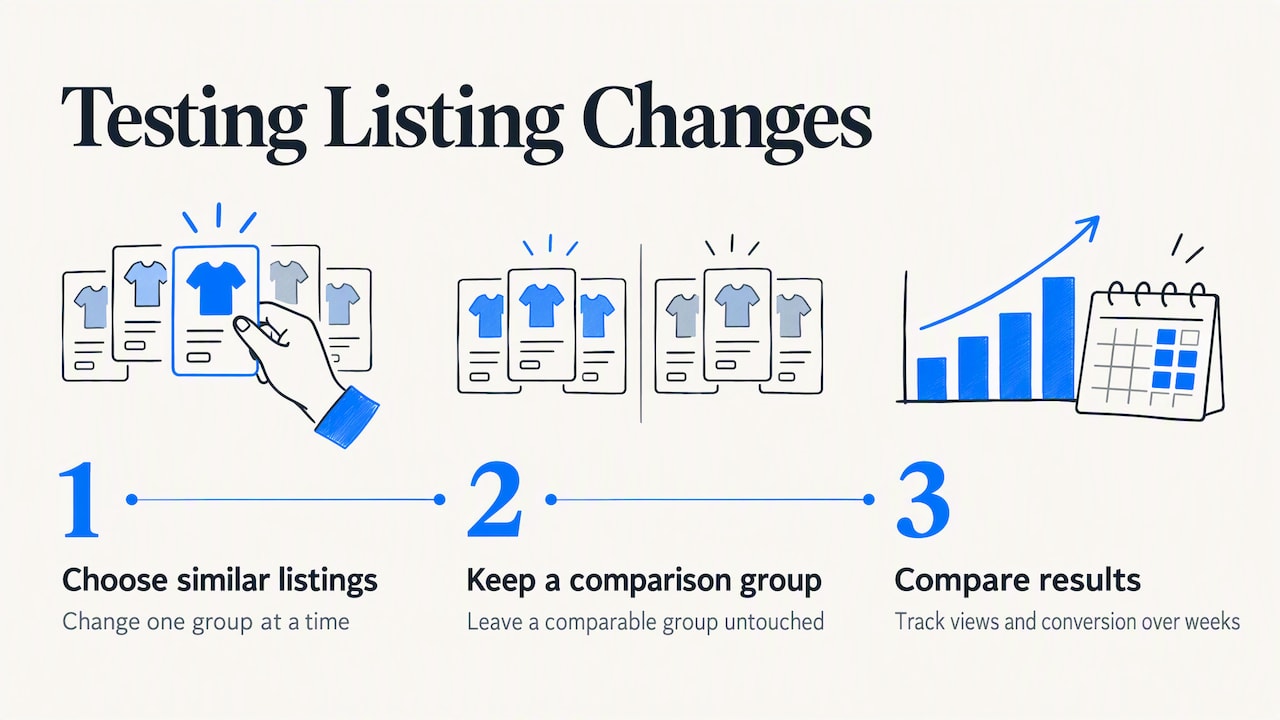
A sensible reading is to treat item specifics as low-cost, low-risk hygiene with a documented link to buyer clarity and fewer returns, rather than as a lever with a guaranteed multiplier. If you want evidence for your own store, change one group of similar listings at a time, leave a comparable group untouched, and compare views and conversion over several weeks. That gives you a number that belongs to your category and your pricing, which is more useful than a generic claim.
Perspective
We approach item specifics as a data-quality problem before we treat them as a visibility tactic. Every field is a small statement of fact about the item, and the sum of those statements is what a buyer relies on when deciding whether to pay.
That is why we think the effort belongs where sellers are most exposed: at the point of listing. When a seller has to type thirty fields by hand across hundreds of SKUs, the fields get skipped, copied from the wrong listing, or filled with whatever clears the form. Those small errors turn into mismatched orders, and mismatched orders turn into returns and disputes. Sellers in eBay's marketplace already carry that risk without the ability to leave negative feedback for buyers, which has been unavailable since 2008.
Our position is that the listing and the buyer side of the business should be protected together. Listing tools that draft descriptions and check completeness inside eBay's own workflow, as SafeBay Companion is designed to do, reduce the chance of an inaccurate listing. Community-reviewed buyer reporting, with evidence, dates and an appeals path, is designed to reduce the chance that a problem buyer reaches an order in the first place. Accurate listings and informed seller decisions belong to the same discipline.
Mykola
Keeping the process manageable with tools
Manual entry works for a few dozen listings. Past that, consistency becomes the limiting factor, and three kinds of help matter: drafting, checking and reuse.
Drafting tools can produce a first version of a title and description from your photos and notes, which you then correct against the item in hand. Checking tools compare what you wrote against what the category expects. Reuse comes from templates and from copying a verified listing as the base for the next similar one. Whichever you use, the rule from earlier stays fixed: a tool proposes, and you verify against the physical item. Our overview of AI for eBay listings lists what to check before accepting generated text, and the guide to listing on eBay from photos to publication shows where item specifics fit in the full sequence.
Price and fields move together
A complete listing also supports your price. Buyers who can see exact model, condition and compatibility are less likely to bargain for uncertainty. When you revise fields, it is a good moment to review your price against comparable sold listings, which our guide to eBay pricing strategy walks through.
Add SafeBay to your listing workflow
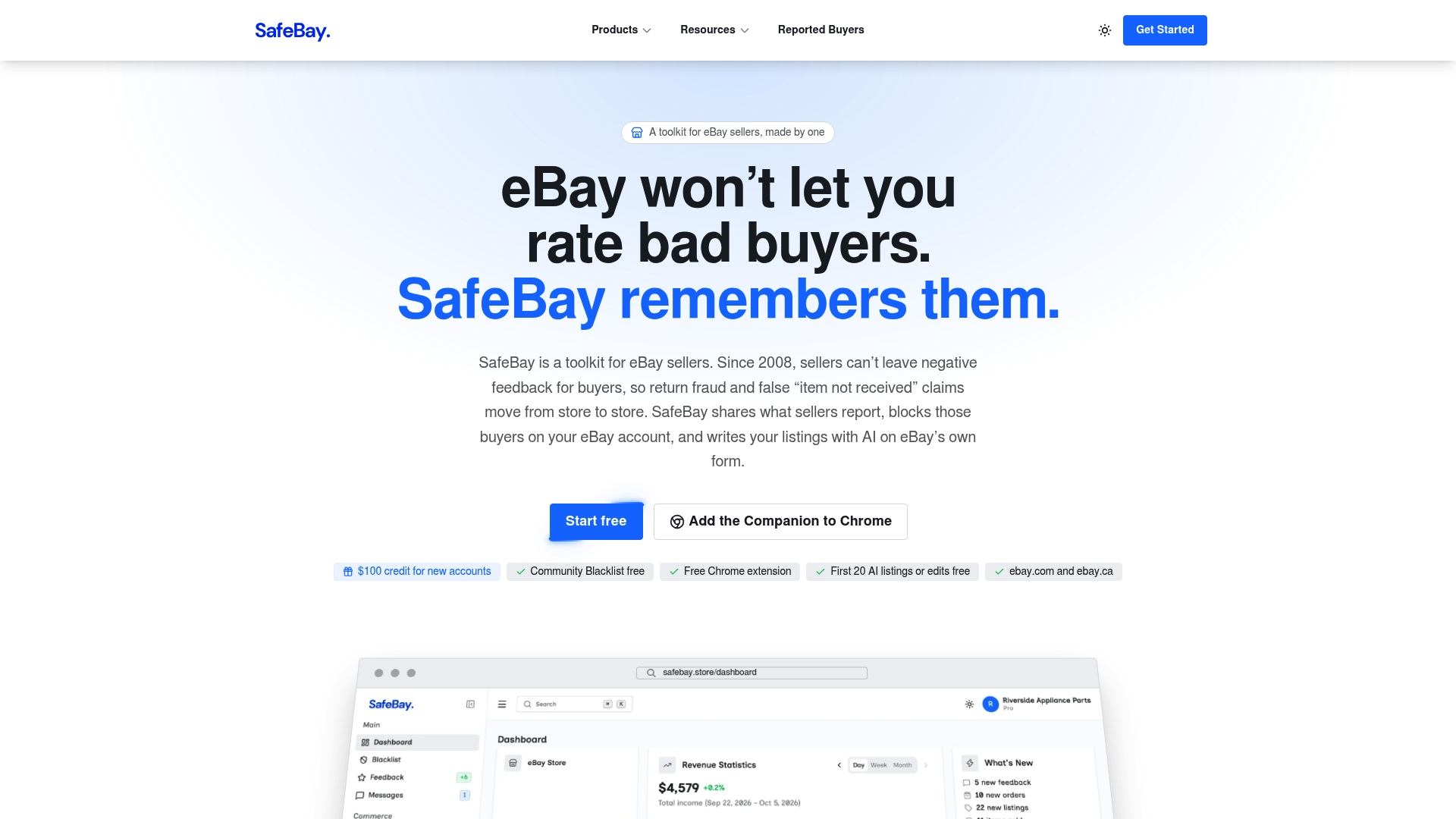
SafeBay is a toolkit for eBay sellers. SafeBay Companion, a Chrome extension, brings AI listing generation and proofreading into eBay's own listing pages, along with auto-relisting of ended items, sales analytics and an appliance parts compatibility lookup. The same toolkit includes a community buyer blacklist that syncs to your eBay Blocked Buyers list. Pricing is freemium: the Free plan is $0 per month with basic features and limited AI usage, Basic is $9.95 per month, Pro is $59.95 per month and Enterprise is $599.95 per month. You can compare plans on the SafeBay site or look at the SafeBay Companion extension directly.
If you sell parts, start with the free plan on a single product type, finish its item specifics template, and see how much of the work the tools take over before you upgrade.
Protecting the sale after the listing is accurate
An accurate listing removes one source of disputes, not all of them. Return fraud and false claims are a separate problem, and they affect sellers whose descriptions are flawless. It helps to know the warning signs before you ship, which we cover in twelve eBay buyer red flags, and the response steps in our guide to return fraud on eBay. Detailed item specifics also give you a clear record to point to if a buyer claims an item was not as described: the listing states the model, the condition and the compatibility, and the photos show the same.
FAQ
Are item specifics required on every eBay listing?
Not every field is required, and the required set depends on the category. The listing form flags the fields you must complete before publishing. Recommended fields are optional, but they are usually the attributes buyers filter on, so completing them is worthwhile.
What should I enter when a product has no GTIN or MPN?
Enter the phrase "Does not apply" in those fields rather than inventing a number. This approach is documented for products that lack a specific identifier. If the identifier exists on the item or packaging, enter it instead.
Should I add every item specific I can?
Add every one that is true for the item, and none that is not. Completeness helps filters and buyer understanding, but a value added to reach more filters, such as an unverified compatible model, tends to produce returns. Accuracy outranks volume.
What are the most important fields for appliance parts?
Brand, manufacturer part number, part type, appliance type and the verified compatible models. Buyers usually begin with the model number of the broken appliance, so compatibility information answers their first question. Add alternate part numbers in the description.
How do I update item specifics on listings I already have?
Edit the listing, or use eBay's current bulk editing options in your seller tools to update several listings at once. Menu names change over time, so check eBay's seller help for the present steps. Fix your best-selling and highest-viewed listings first.