
The fastest gains come from five levers, applied in this order: a precise 80-character title, complete item specifics, at least four clear photos, pricing and shipping grounded in Sold data, and seller performance metrics kept under threshold. Each lever below includes the exact micro-steps to apply it today.
TL;DR:
- Price from the last 10 to 15 Sold listings in the same category and condition, not from active asking prices.
- Upload at least four photos showing the front, back, a detail, and any flaw; consistent lighting keeps damage disclosure clear.
- Complete every available item specific field; SaleHoo's guidance reports that listings missing fields doubled impressions after sellers filled them.
- Monitor late shipment rates, unresolved cases, and Item Not As Described claims monthly; crossing eBay's thresholds can reduce visibility and raise fees.
- Offer free shipping only when margins allow; use calculated shipping for heavy or oversized items to protect profit on each sale.
Table of Contents
- A quick checklist before you publish any listing
- Write titles that get clicks: an 80-character strategy
- Photos that convert: minimum shots and practical tips
- Item specifics, category, and descriptions that avoid disputes
- Pricing and shipping: price from Sold data, ship smart
- Seller performance metrics that keep listings visible
- A repeatable 7-step listing workflow and when to automate
- What matters most once a listing is live
- Try the free Companion before your next listing
- FAQ
- Sources
A quick checklist before you publish any listing
Before a listing goes live, running through a short sequence catches most of the mistakes that quietly suppress visibility. eBay's search engine, Cassini, weighs relevance, conversion rate, and seller performance when deciding which listings surface first, so each item below maps directly to one of those three factors.
- Write an 80-character title using brand, model, key spec, and condition, and skip filler adjectives like "amazing" or "rare."
- Fill every item specific field available for the category rather than leaving optional ones blank.
- Choose the most precise category eBay offers, even when a broader one seems easier.
- Upload at least four photos: front, back, a close detail, and any flaw.
- Write a description that answers measurements and what's included before a buyer has to ask.
- Check Sold listings for the item's real market price rather than guessing from Active listings.
- Set handling time conservatively and confirm whether free shipping fits the margin.
Pro Tip: Run this checklist on your three best-selling items first. Improvements there compound fastest because they already get the most search traffic.
Treat this as a per-listing habit rather than a one-time cleanup. Sellers who complete every item specific field consistently report a sharp jump in impressions within days, since Cassini uses those fields to match listings to buyer filters.

Write titles that get clicks: an 80-character strategy
A title has 80 characters to do one job: match what a buyer actually types into search. The reliable formula is brand, model, key spec, condition, and size or color when relevant, in that order, since buyers scan left to right and eBay's search weighs the first words more heavily.
- Lead with brand and model number before any descriptive language.
- Add one or two specs that buyers search by, such as capacity, size, or material.
- State condition plainly: new, used, open box, or for parts.
- Cut adjectives like "beautiful," "rare," or "must-see," since they waste characters without matching a search query.
- Pull real buyer phrasing from Sold listings in your category rather than guessing at keywords.
- Use standard abbreviations (such as "NWT" for new with tags) only when they're common in your category and used in top-performing Sold listings.
Every character that doesn't help a buyer find or trust the item is a character working against you.
Photos that convert: minimum shots and practical tips
SaleHoo's seller guidance recommends at least four photos per listing: a clear front shot, a back shot, a close detail of branding or texture, and an honest shot of any flaw. Skipping the flaw photo tends to backfire, since it's the single fastest way to trigger an Item Not As Described claim once the buyer notices in person.
- Shoot in natural light against a plain, uncluttered background.
- For apparel, use a mannequin or model rather than laying the item flat; it reads as more professional and tends to convert better.
- Keep resolution high enough that buyers can zoom without blur, and crop out shadows or clutter before uploading.
- Photograph any wear, scuffs, or missing parts directly, with a caption if needed.
Pro Tip: Take your flaw photo under the same light as your front shot. Inconsistent lighting between images reads as evasive, even when nothing is wrong.
Item specifics, category, and descriptions that avoid disputes
Item specifics do double duty: they feed Cassini's matching algorithm and they answer buyer questions before a message gets sent. Completing every available field, a step SaleHoo calls the "90-second rule," has been shown to double impressions on listings that previously left fields blank.
- Fill brand, color, size, and material fields even when they feel repetitive with the title.
- State measurements and exactly what's included, since serious buyers won't ask twice before moving to a competing listing.
- Format the description with short bullet specs instead of a dense paragraph, since most buyers scan on mobile.
- Pick the most specific category available: a listing filed under a broad or wrong category is effectively invisible to buyers using category filters, regardless of how good the title is.
Pricing and shipping: price from Sold data, ship smart
Active listings show what sellers hope to get; Sold listings show what buyers actually paid, which makes Sold data the only reliable price signal.
- Check the last 10 to 15 Sold comps in your exact condition and category before setting a price.
- Offer free shipping where margins allow, since it tends to boost visibility; build the cost into the item price rather than absorbing it blind.
- For heavy or oversized items, use calculated shipping instead of free shipping to protect margin.
- Set handling time to 2 to 3 business days to start, and print labels through eBay's Shipping Hub to keep tracking synced automatically.
- Add signature confirmation on higher-value items to reduce exposure to false "item not received" claims.
eBay's platform connects sellers to a very large number of buyers globally, which means the demand for most categories already exists on the platform. The work is capturing it with a listing that matches what buyers are already searching and willing to pay.
Seller performance metrics that keep listings visible
Even a well-optimized listing loses reach once seller performance metrics slide. SaleHoo's seller guidance names three to watch monthly: late shipment rate, cases closed without seller resolution, and Item Not As Described rate, since crossing their thresholds triggers search penalties and higher fees.
- Keep late shipment rate low by shipping within your stated handling time, every time, not just when convenient.
- Upload tracking the moment a label prints, since untracked shipments are far more likely to generate "not received" cases.
- Reply to buyer messages quickly, since a fast response often resolves a question before it escalates into a case.
- Set aside a returns reserve of roughly 4 to 7% of revenue so refunds don't quietly erode margin.
- Test fulfillment end to end on your first 10 orders before scaling volume, since early mistakes in packing or handling time compound once order volume grows.
A repeatable 7-step listing workflow and when to automate
A workflow turns listing optimization from a one-off project into a habit that holds up as volume grows.
- Research Sold comps in the exact category and condition.
- Photograph the item: front, back, detail, flaw.
- Write the 80-character title using the brand-model-spec-condition order.
- Fill every item specific field and confirm the category.
- Write the description with measurements and included items up front.
- Set price from Sold data and confirm shipping and handling time.
- Publish, then monitor impressions and messages for the first week.
SaleHoo's guidance suggests waiting until roughly 50 orders before automating any part of this workflow, since automating a flawed process just scales the mistakes faster.
Pro Tip: Automate description drafting and buyer messaging first; these carry the least risk if something needs a manual fix before it reaches a buyer.
Our own SafeBay Companion fits into step 5 and step 7: it drafts AI-generated descriptions directly on eBay's listing page, flags buyer risk before you ship, and syncs blocked buyers automatically so a problem buyer on one listing doesn't resurface on the next. For more on sequencing automation safely, see our guide to choosing an eBay AI listing tool and our auto-relist and algorithm visibility piece for more tactics without added ad spend.
What matters most once a listing is live
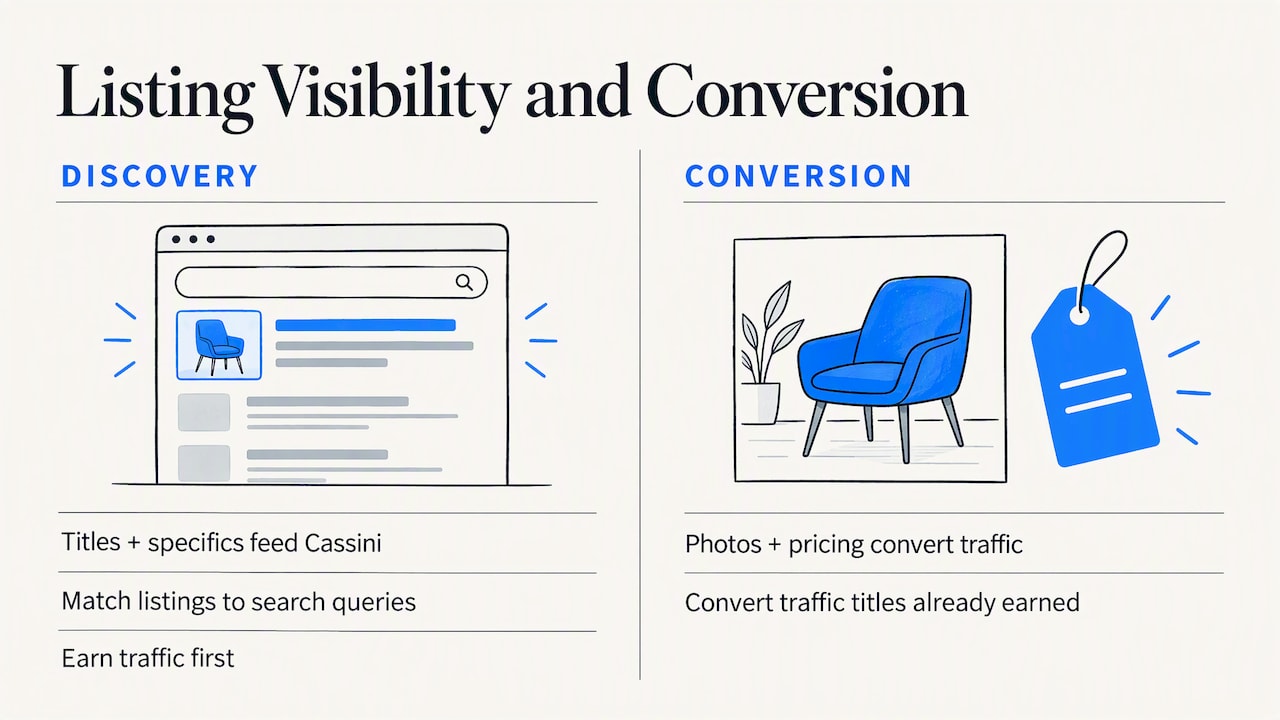
Titles and item specifics move the needle faster than any other lever, because they feed directly into how Cassini matches a listing to a search query. Photos and pricing matter, but they convert traffic that the title and specifics already earned.
The sellers who improve fastest test changes on a small batch of listings before rolling them out across an entire store. That discipline, more than any single tactic, is what separates a listing that quietly underperforms from one that gets found.
— Mykola
Try the free Companion before your next listing
We built SafeBay around the two problems that quietly cost sellers the most time and money: slow listing creation and buyer fraud that's hard to prove after the fact. The SafeBay Companion is a free Chrome extension that drafts AI-generated descriptions directly on eBay's listing page, flags buyer risk before you ship, and automatically syncs blocked buyers to your eBay account.
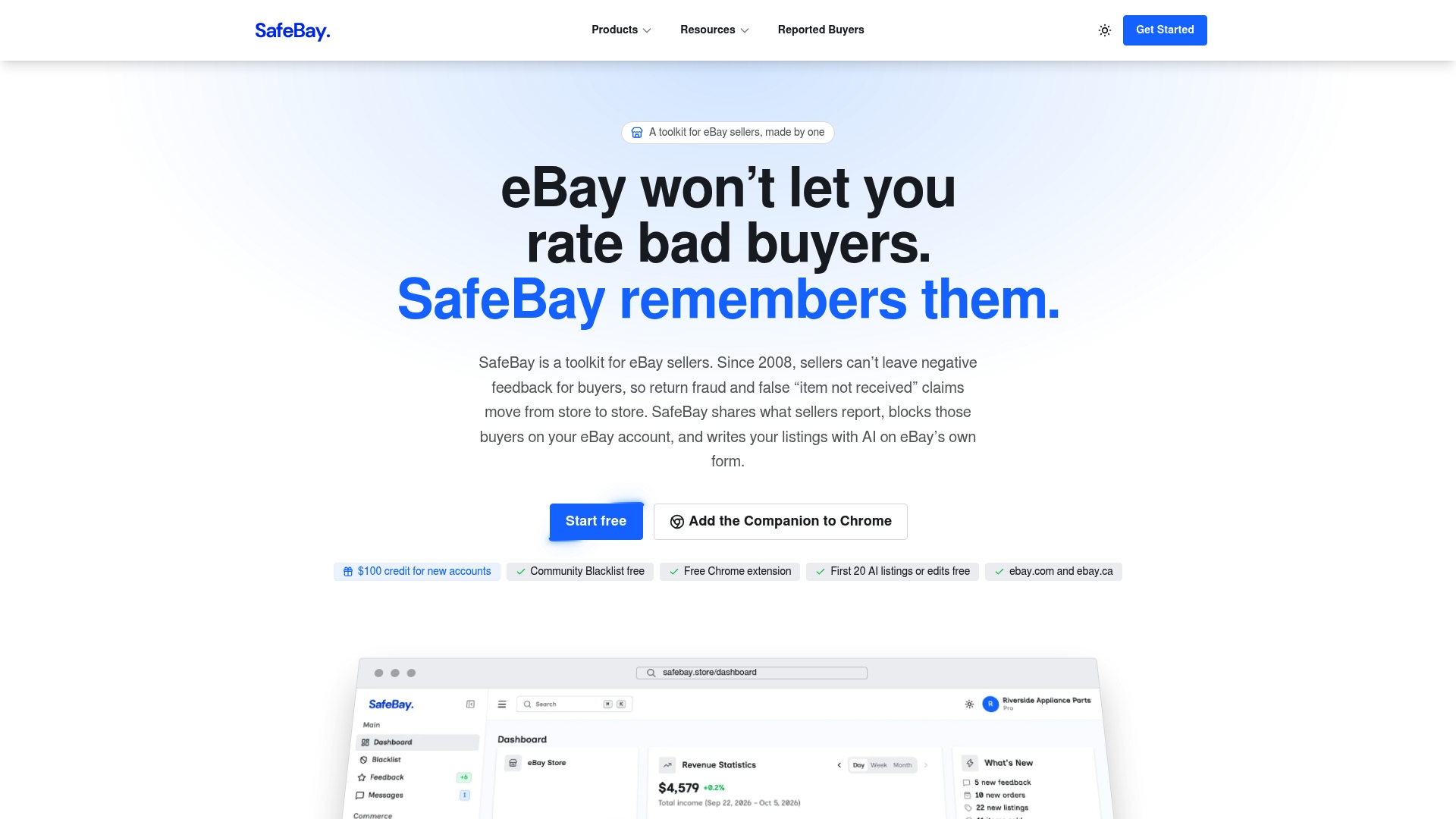
- AI-generated listing descriptions written directly inside eBay's own editor.
- Real-time buyer risk alerts before you commit to shipping.
- Automated syncing to your eBay Blocked Buyers list.
- A free plan to start, with Basic, Pro, and Enterprise tiers available as needs grow.
Install the Companion and run it on your next listing to see the draft and the risk check in action.
FAQ
What is the 5000 rule on eBay?
There is no official eBay policy called a rule with a specific number. It's a seller shorthand some use informally for selling limits or feedback milestones, but it isn't a documented eBay rule, so sellers should rely on their own Seller Hub dashboard for actual limits.
Why are sellers leaving eBay?
Sellers who leave typically cite rising fees, competition from other sellers in saturated categories, and the operational burden of keeping seller performance metrics like late shipment rate and INAD rate under threshold. Sellers who treat these metrics as a daily habit rather than an afterthought tend to stay profitable longer.
How to make $10,000 a month on eBay?
Reaching that level of revenue generally requires scaling order volume while keeping fulfillment accuracy and seller metrics tight, since a slip in late shipment rate or case rate can suppress visibility right as volume grows. Testing fulfillment on the first 10 orders before scaling helps avoid the operational mistakes that stall growth at higher volume.
What is the slowest month to sell on eBay?
Sales activity tends to slow in the weeks right after major holiday shopping, as buyer spending resets, though this varies by category and item type. Sellers in gift-heavy categories often see the clearest dip, while everyday or year-round categories are less affected.