
Listings rank and convert when sellers combine a search-ready title, complete item specifics, high-quality photos, and fast, clear fulfillment terms. These four elements carry the most weight in eBay's ranking system and the highest return on time spent, so fixing them first produces more impressions and a better chance of a sale almost immediately.
TL;DR:
- Use all 80 characters available for a title; lead with brand and model, and test one change at a time for one to two weeks.
- Complete every applicable item specific field, especially brand, model, identifiers, and compatibility, because missing details can exclude listings from filtered searches.
- Use seven or more photos, show identifiers and flaws clearly, and check that the main image reads well in eBay’s square mobile thumbnail.
- Use Seller Hub metrics weekly: high impressions but few clicks implicate the title or photo, while clicks without sales point to price, copy, or trust.
- Offer handling within one or two days, compare total cost with recent sold listings, and use free shipping only when your margin supports it.
Table of Contents
- 1. What eBay SEO is and how Cassini ranks listings
- 2. Title optimization: exact structure, rules, and quick tests
- 3. Item specifics and category alignment: fill the filters buyers use
- 4. Photos and mobile optimization: image counts, composition, and accessibility
- 5. Descriptions and formatting: scannable, conversion-focused copy
- 6. Pricing, shipping, and return policies: set fulfillment to help ranking and conversion
- 7. Promoted Listings, sales velocity and driving early traction
- 8. Store-level SEO and analytics: organize your store and measure impact
- 9. Beginner to pro checklist and a 30/60/90-day cadence
- 10. How SafeBay helps sellers protect performance and speed listing optimization
- 11. Author perspective: where to spend time if you only have 1 hour a day
- Try SafeBay: fast setup steps and what you get on the free plan
- FAQ
- Sources
1. What eBay SEO is and how Cassini ranks listings
eBay's search engine, known internally as Cassini (and surfaced to buyers as Best Match), decides which listings appear first for a given search. Unlike a pure keyword match, Cassini weighs conversion behavior as heavily as relevance, which is why two nearly identical listings can perform very differently.
According to a comprehensive 2026 breakdown of eBay search optimization, Cassini evaluates listings against four main pillars:
- Relevance: how closely the title, item specifics, and category match the buyer's search terms.
- Listing quality: photo count and clarity, description completeness, and pricing competitiveness.
- Seller performance: shipping speed, response time, and defect or return rates.
- Buyer behavior: click-through rate, conversion rate, and sales velocity once the listing appears in results.
That last pillar explains why a listing with strong click-through but poor conversion can still slide down in rank. Cassini treats a sale as evidence that the listing deserves more exposure, so a consistent stream of sales, even small ones, feeds a long-term advantage that a single optimization pass cannot replicate. Store-level signals, such as repeat purchases and consistent on-time delivery, compound this effect over weeks rather than days.
2. Title optimization: exact structure, rules, and quick tests
The title is the single highest-leverage element on an eBay listing because it drives both relevance matching and the buyer's first impression in search results. eBay's own guidance on optimizing listings recommends using the full 80-character limit and front-loading the words buyers actually search for.
A reliable structure to follow:
- Brand (the name buyers search by first, such as a manufacturer or designer).
- Model or product line (the specific identifier that narrows results).
- Product type (what the item actually is, in plain language).
- Key attributes (size, color, capacity, or material, in that order of buyer priority).
- Remaining keywords (secondary search terms that fill out the character count without repeating words already used).
A handful of rules keep this structure effective. Put the strongest, most-searched words first, since Cassini and buyers both weight the beginning of a title more heavily. Avoid symbols, emojis, and ALL CAPS, which eBay's search strips or ignores and which can look unprofessional to buyers scanning results. Always include recognized identifiers such as brand, model number, or a UPC when one exists, since these feed directly into relevance matching.
Testing titles does not require guesswork. Rotate two title variants on a slow-moving listing, track click-through rate in Seller Hub over a one- to two-week window, and keep whichever version produces more clicks per impression. For listings that qualify, ending and relisting on a cadence (rather than letting a listing sit static for months) gives each title version a fresh evaluation window.
Pro Tip: Change one variable at a time, title or price, never both, so you know which change actually moved the needle.
3. Item specifics and category alignment: fill the filters buyers use
Item specifics are not optional metadata. They are the fields that populate the filters buyers click on the left side of search results, and an incomplete specific often means a listing simply never appears in a filtered search, regardless of how good the title is.
Fields worth completing on every applicable listing:
- Brand and model: the two most commonly filtered fields across nearly every category.
- MPN or UPC: lets eBay and outside search engines match the listing to the exact product.
- Compatibility: essential for parts, accessories, and anything that fits a specific device or vehicle.
- Size and color: the filters buyers use most on apparel, shoes, and home goods.
- Condition-specific details: such as storage capacity for electronics or material for furniture.
Mobile shoppers rely on filters even more than desktop users because narrowing a crowded results page is faster than scrolling, so a listing missing key specifics quietly loses a large share of mobile traffic before a buyer ever sees the photos.
Category selection deserves the same discipline. The instinct to list in a lower-competition category to "stand out" usually backfires, since Cassini and buyers both expect an item to sit where similar items sit. Choose the category that matches buyer expectations and eBay's own suggested category for the item type, not the one with the thinnest competition.
4. Photos and mobile optimization: image counts, composition, and accessibility
Photos do double duty: they influence Cassini's listing-quality score and they determine whether a buyer clicks through at all when scrolling a results grid on a phone. A primary image on a clean white background, sized around 1600 pixels on the longest edge, performs best across both standards and gives eBay's zoom feature enough resolution to stay sharp.
For most categories, multiple images strike the right balance between thoroughness and buyer patience:
- Primary shot: item alone, centered, white or neutral background.
- Multiple angles: front, back, sides, and any hinge or opening points.
- Close-ups: logos, tags, model numbers, or any detail a buyer would otherwise ask about.
- Measurement shots: a tape measure or ruler against the item removes the single most common pre-sale question.
- Honest condition shots: scuffs, wear, or missing parts on used items, shown clearly rather than cropped out.
Mobile buyers make up the majority of eBay traffic, so check how the primary image crops in the search grid before publishing. A photo that looks fine on desktop can lose its subject entirely when eBay's mobile app crops it to a square thumbnail. Compress images so they load quickly on cellular connections, and add descriptive alt text where eBay's listing tools allow it, since that text also feeds accessibility and search indexing.
Pro Tip: Open your own listing on a phone after publishing. If you can't tell what the item is from the thumbnail alone, reshoot the primary photo.
5. Descriptions and formatting: scannable, conversion-focused copy
A description's job is to answer the questions a buyer would otherwise message you about, and to do it before they have to scroll. Put the critical facts above the fold: condition, key dimensions, what's included, and compatibility, all within the first screen a buyer sees on mobile.
Formatting matters as much as content:
- Short bullets over paragraphs for specifications, since scanning beats reading on a product page.
- Measurement details repeated from the photos, since not every buyer studies the images closely.
- Natural keyword use, including compatibility lists ("fits Model X, Model Y") written as a buyer would search, never stuffed or repeated unnaturally.
- A brief shipping and return summary near the top, so a buyer deciding between two similar listings doesn't have to dig for the answer.
Avoid dense walls of text or legal-style boilerplate dropped at the top of the listing. A description that reads like a buyer's checklist, rather than a seller's disclaimer, converts better and reduces the pre-purchase questions that slow down a sale.
6. Pricing, shipping, and return policies: set fulfillment to help ranking and conversion
Price is a relevance and conversion factor at once. Buyers compare total cost, meaning item price plus shipping, so a item priced slightly above comps but with free shipping often beats a cheaper listing with a shipping charge attached. Check recently sold comps in your category before setting a price, rather than pricing against active (and possibly unsold) competing listings.
Fulfillment terms carry real ranking weight. Research into eBay's optimization factors notes that eBay favors listings with fast handling times of one or two days, free shipping where the margin allows it, and a reasonable return window. Each of these reduces buyer hesitation at the point of decision, which lifts conversion rate, which in turn feeds the buyer-behavior signal Cassini already rewards.
- Match or beat recent sold prices in the category, not just active listings.
- Offer free shipping when margin allows, since total cost comparison favors it.
- Commit to one- to two-day handling and keep that promise consistently.
- Set a return window that removes hesitation rather than the shortest window the category permits.
A seller-friendly return policy does more than reassure buyers. It also protects the defect-rate and case-rate metrics that factor into seller performance, which is itself one of Cassini's four pillars.
7. Promoted Listings, sales velocity and driving early traction
Promoted Listings exist to buy visibility while a listing proves itself, not to rescue a listing that isn't converting. eBay offers three formats: Promoted Listings Standard, which charges per sale and suits most sellers starting out; Advanced, which charges per click and gives more control over placement; and Express, built for quick visibility on time-sensitive inventory.
The sequencing matters more than the format choice. Guidance on eBay's optimization factors is direct on this point: promoting a listing that isn't already optimized wastes ad spend, since clicks on a weak title or thin photo set simply convert poorly and confirm to Cassini that the listing underperforms. Promote only after the title, specifics, and photos are in place.
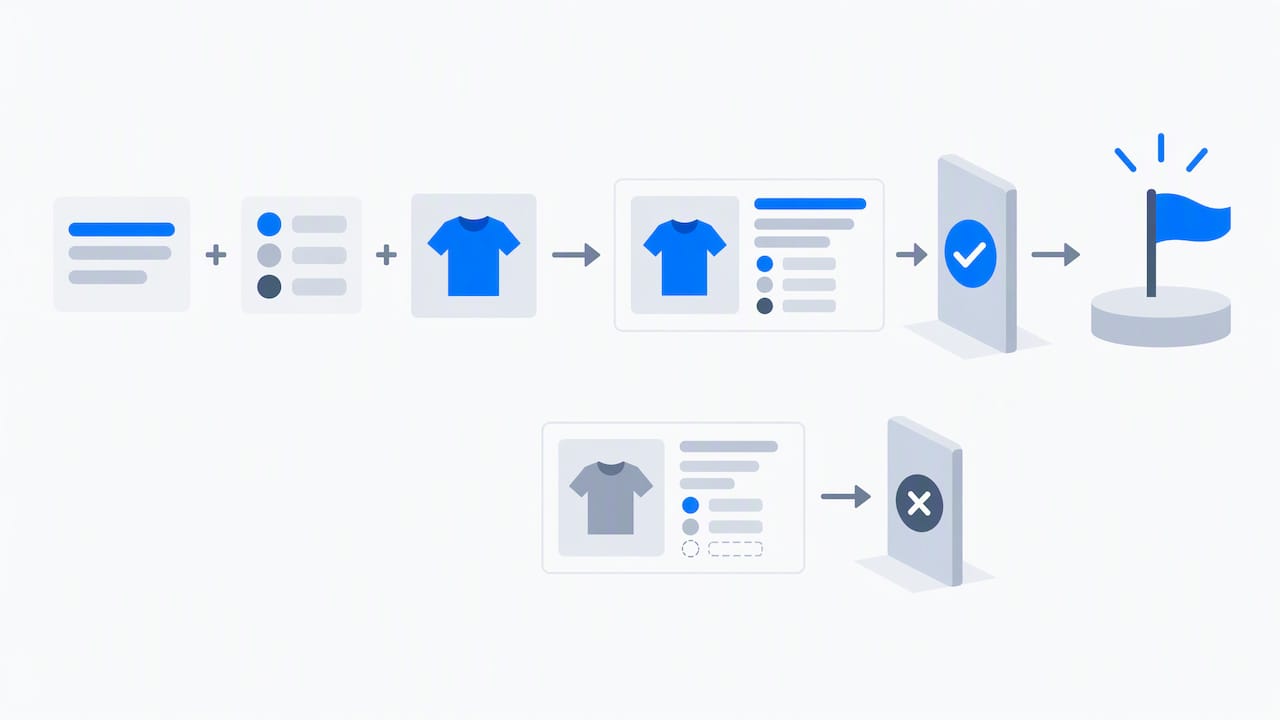
A simple testing approach: start with a modest ad rate on Promoted Listings Standard for a batch of already-optimized listings, measure the sales lift over two weeks, and scale the rate only on items that respond. For a lower-cost way to refresh visibility between promotion cycles, our auto-relist approach to boosting sales velocity explains how ending and relisting strategically can lift a listing's standing without an ad budget.
Short-term tactics that build the sales velocity Cassini rewards:
- Time-limited discounts on slower-moving inventory to generate a burst of sales.
- Bundles that increase average order value while clearing related stock.
- External social traffic to a listing, which eBay credits as off-platform demand.
Pro Tip: Promote your best-converting listing first, not your newest one. A proven converter returns more per dollar spent.
8. Store-level SEO and analytics: organize your store and measure impact
Store organization affects discoverability beyond any single listing. Guidance on eBay store SEO points out that well-structured store categories, a clear store description, and consistent internal linking between related listings all improve how buyers navigate your inventory and how it surfaces in both eBay's internal search and general web search.
- Organize store categories around how buyers browse, not how you organize inventory internally.
- Write a store description with natural keywords, since this text supports both navigation and search indexing.
- Link related listings within descriptions so buyers browsing one item discover others.
Four metrics tell you where to focus next: click-through rate, conversion rate, sell-through rate, and raw impressions, all visible in Seller Hub's Traffic reports. A listing with high impressions but low clicks usually has a title or primary-photo problem. A listing with strong clicks but weak conversion usually has a pricing, description, or trust problem (reviews, return policy, or seller rating). Triaging by this split tells you whether to rewrite the title or rework the listing itself, rather than guessing.
9. Beginner to pro checklist and a 30/60/90-day cadence
A structured cadence turns these tactics into a routine rather than a one-time cleanup.
- Rewrite your title using the brand, model, type, attribute structure.
- Complete every item specific the category offers, not just the required ones.
- Replace or add photos to reach seven or more per listing.
- Set handling time to one or two days if it isn't already.
- Review your return policy against category norms.
- Add missing identifiers (UPC, MPN) where available.
- Split-test one title variant on your slowest-moving listing.
- Clean up store categories for easier browsing.
- Run a small Promoted Listings Standard test on proven converters.
- Review Seller Hub metrics weekly and re-optimize by the impressions-versus-conversion split.
10. How SafeBay helps sellers protect performance and speed listing optimization
Two seller problems sit underneath most of the tactics above: writing consistent, complete listing text takes time, and a single bad buyer can quietly damage the defect-rate and return metrics that feed seller performance. We built our tools around solving both.
Our SafeBay Companion Chrome extension works as an AI listing assistant directly inside eBay's own listing editor, generating description drafts and proofreading copy so item specifics and formatting stay consistent across a large inventory rather than varying listing by listing. For a practical walkthrough of installing it before your next listing, see our guide to using SafeBay Companion for listing creation.
On the protection side, our community buyer-reporting feature lets sellers flag adverse buyer behavior, which other sellers can then check before a risky buyer reaches checkout. That reduces exposure to the return fraud and false claims that damage the seller-performance metrics Cassini weighs directly.
Three steps to start:
- Install the Companion extension on your eBay seller account.
- Run a buyer-status check before shipping to an unfamiliar buyer.
- Use an AI description template on your next new listing to see the time saved firsthand.
11. Author perspective: where to spend time if you only have 1 hour a day
If an hour a day is all you have, spend it on the 80/20 actions: title, item specifics, the primary photo, and shipping terms. These four cover most of the ranking and conversion gap between a listing that sits unseen and one that sells.
Treat every change as a test, not a final answer. Cassini's weighting shifts over time, and what worked last quarter can quietly underperform this one, so a listing optimized once in January and never revisited in 2026 is already behind. For tactics that evolve as eBay's algorithm does, our blog tracks changes worth adjusting for.
— Mykola
Try SafeBay: fast setup steps and what you get on the free plan
Optimizing titles, specifics, and photos gets a listing seen. Protecting the account behind that listing keeps it visible. Our tools cover both halves, starting with a Free plan that includes basic AI listing assistance and limited monthly usage, with Basic, Pro, and Enterprise tiers available as inventory and ad spend grow.
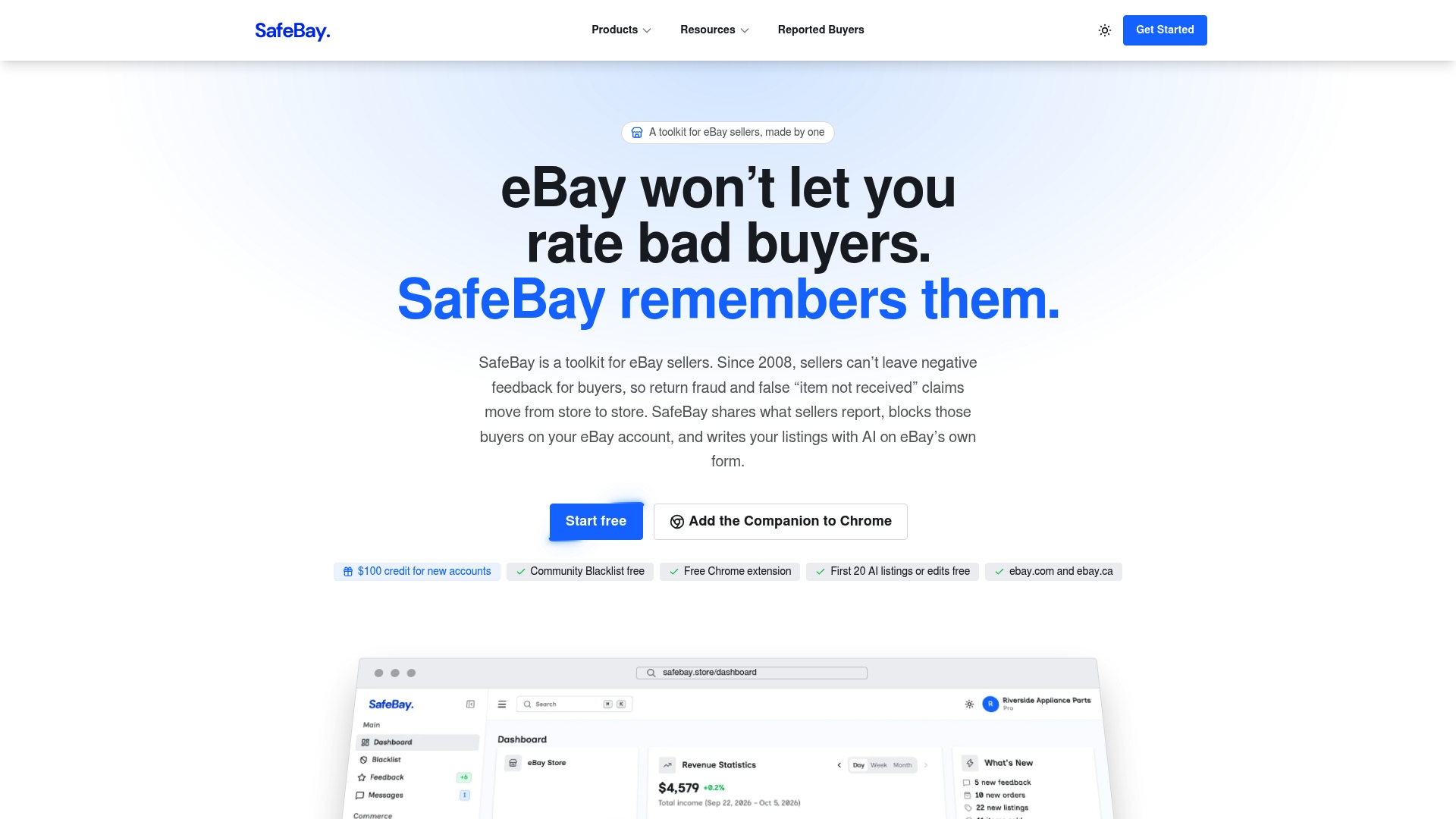
What you get access to from day one:
- The SafeBay landing page with plan details and signup.
- The Companion Chrome extension for AI-assisted listing descriptions inside eBay's editor.
- A buyer blacklist that syncs flagged buyers to your eBay Blocked Buyers list.
- A buyer status check to look up risk before shipping to someone unfamiliar.
- An AI feedback autoreply tool to keep response metrics consistent without manual replies to every message.
Install the Companion extension, generate your next listing description with it, and run a quick buyer check before your next shipment. All three take less time than writing a listing from scratch, and together they protect the seller-performance metrics that Cassini rewards.
FAQ
What is the three-day rule on eBay?
The three-day rule generally refers to eBay's expectation that sellers ship within the handling time stated on the listing, with many sellers using a one- to two- or three-day window as a performance benchmark. Shipping consistently within that window supports the on-time delivery metrics that feed seller performance in search ranking.
How can I make $10,000 a month on eBay?
Reaching that level typically requires a wide, consistently optimized inventory, strong seller-performance metrics, and sales velocity built through fast handling, competitive pricing, and tested Promoted Listings campaigns. There is no fixed path, since results depend heavily on category, pricing, and inventory volume, but the fundamentals in this guide (title, specifics, photos, fulfillment) are the foundation any higher-volume strategy builds on.
How can I make $5,000 a month on eBay?
A lower but still meaningful monthly target follows the same fundamentals at a smaller scale: a focused product category, consistently optimized listings, and reliable shipping and return terms that keep seller metrics healthy. Growth usually comes from testing titles and photos on existing listings before expanding inventory.
How do I get more views on my eBay store?
More views come from the same relevance and quality signals Cassini already rewards: complete item specifics, strong titles, enough photos, and consistent seller performance. Store-level organization, including clear store categories and a keyword-rich store description, supports internal navigation that helps a browsing buyer find more of your listings.