Your eBay conversion rate is the share of listing views that end in a sale, and the useful way to read it is against your own baseline, listing by listing, rather than against a single "good" number. This guide explains the formula, where to find it in Seller Hub, the listing factors that move it, and how to test a change so you know whether it worked. It also covers a factor most conversion guides skip: the quality of the buyers you convert. A sale that ends in a return or a false claim is not a win, and our free tools are built around that problem alongside listing optimization.
What eBay's conversion rate actually measures
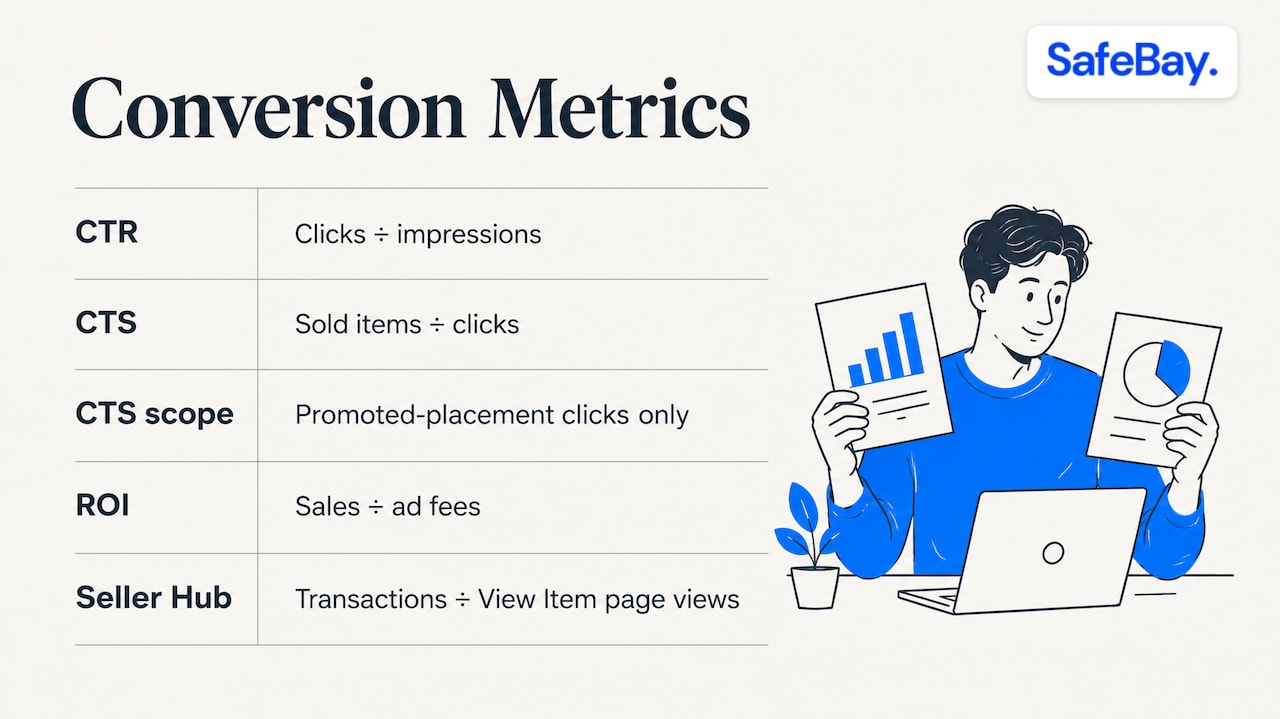
In eBay's data model, the sales conversion rate is the number of completed transactions divided by the total number of View Item page views. The eBay SDK reference for traffic metrics describes the total as the sum of views from direct visits, off-eBay sources, other eBay pages, search results and store pages. PlentyONE's eBay Analytics help page describes it the same way: sales divided by listing views.
A simple worked example: if a listing was viewed 2,400 times in a period and produced 36 orders, the conversion rate is 36 ÷ 2,400 = 1.5%. The arithmetic is trivial. The interpretation is not, because of how eBay counts a view. According to eBay's page views help, a view is recorded when someone opens a listing on the website or in the app. Return visits and refreshes count again. Search-result appearances without a click do not count, and neither do your own views while logged in. For active fixed-price listings older than 30 days, the displayed figure is a rolling 30-day count.
Three consequences follow:
- A buyer who looks at your listing five times before buying adds five views and one sale, which pulls the rate down even though the listing did its job.
- Impressions and views are different things. A low click-through rate (few searchers click) is a visibility or presentation problem. A low conversion rate (many viewers, few buyers) is a problem with the offer on the page.
- Because the denominator moves with traffic, a promotion that brings in many casual viewers can lower your conversion rate while raising your sales. Look at both.
Conversion rate versus conversion to sale
If you run Promoted Listings, the dashboard uses a different measure. eBay's Promoted Listings Optimization Guide defines CTR as clicks divided by impressions, CTS (conversion to sale) as sold items divided by clicks, and ROI as sales divided by ad fees. CTS only counts clicks on the promoted placement, so it will not match the Seller Hub figure. Keep the two in separate columns of your notes and never mix them in one comparison.
Where to find your conversion rate in Seller Hub
Open Seller Hub, go to the Performance tab and choose Traffic. Menu labels change from time to time, so look for Performance first and Traffic beneath it. The report shows impressions, click-through rate, page views and sales conversion rate for the period you select. Our walkthrough of the eBay traffic report covers each metric and the order in which to read them.
Before you act on a number, set up the comparison properly:
- Use the same date range for views and orders. A 30-day window for one and a 60-day window for the other produces a meaningless ratio.
- Separate fixed-price listings from auctions. They convert on different mechanics.
- Group listings by category and price band. A $12 part and a $400 part should not share a baseline.
- Watch seasonality. A rate measured in December is not comparable with one measured in February.
If you want revenue by day, week, month and state next to your traffic data, the orders dashboard and sales statistics show it in one place.
What is a good eBay conversion rate?
Sellers ask this more than any other question about the metric, and the honest answer is that it depends on category, price, item condition, listing type and traffic source. Figures quoted in forums range widely, from low single digits to well above that for niche, low-priced or highly sought items, and they are self-reported. A number from another seller's account tells you little about yours.
A more reliable approach:
- Pull 30 days of your own data for one category.
- Record views, orders and the conversion rate for each listing.
- Take the middle of that range as the baseline for that category.
- Investigate listings well below the baseline that still have healthy views. These are the ones with an offer problem.
Listings with very few views are a different case. A listing with 12 views and no sale has no statistical meaning, and the fix is visibility, not persuasion. Our guide to eBay SEO and the ranking signals explains what to fix before spending on promotion.
The listing factors that move conversion
Item specifics and product identifiers
eBay states that item specifics, together with product identifiers, are the most important way to help buyers find items. Buyers use them to filter search results, and completing more of them can improve visibility on eBay, Google Shopping and external search. This matters for conversion as well as traffic: a buyer who filtered by brand, size or model number and lands on your listing is already a qualified viewer, so the views you earn this way tend to convert better than broad ones.
Check every active listing for empty or generic specifics. Our free listing analyzer scores a listing and points to visibility gaps, and the guide to optimizing eBay listings walks through seven steps for catching them by hand.
Titles and photos
Titles are the first thing a searcher compares. Lead with the words buyers type: brand, item type, model or part number, and the one attribute that separates your item from near matches. The free title builder extracts keywords from titles of items that sold, which is a faster starting point than guessing. Photos should show the actual item from several angles, including any label or marking a buyer would use to verify it.
Price against recent sales
A listing priced above what comparable items recently sold for will collect views and few orders. Search sold listings for the same item in the same condition, and note the range, not just the average. Before lowering a price, run the numbers in the eBay fee calculator so you know what margin remains after fees. A conversion gain bought with a loss on every sale is not an improvement.
Shipping, returns and payment clarity
Buyers abandon listings when the cost or timeline is unclear. According to StoresAutomation's 2026 business policies guide, conversions tend to rise when returns are simple, shipping times are accurate and payment options are straightforward, and eBay recommends a 30-day return window to help listings qualify for Top Rated Seller benefits and better search visibility. Check your business policies against these three points before touching anything else, since a policy change applies to every listing that uses it. For a broader view of how accurate shipping and buyer-friendly returns affect sales, see this analysis of shipping software and unit economics.
Appliance parts: compatibility is the conversion lever
Sellers of appliance parts face a specific problem. The buyer is usually fixing a machine that already exists, with a known model number, and has one question: will this fit? If the listing does not answer it, the buyer leaves. If the listing is vague and the buyer orders anyway, the likely outcome is a return.
TakeMyAppliance's guide to selling appliance parts recommends a title format of brand, part name, part number and model compatibility. It also recommends photos that show the part-number label and several angles, and descriptions that list the part number, condition, compatible models, function and return policy. That structure maps directly onto eBay's item specifics, so fill the same data into the specifics fields as well as the description.
A practical routine for a parts listing:
- Put the manufacturer part number in the title and in the specifics.
- List compatible model numbers in the description, and keep the list as complete as your records allow.
- Photograph the label that carries the part number.
- State condition plainly (new, used, tested).
- State the return policy in the description in addition to the policy field.
SafeBay includes an appliance parts compatibility lookup, so you can check which models a part fits while you build the listing instead of relying on memory or a supplier sheet.
How to test a change without fooling yourself
Most sellers change a title, a price and three photos in one afternoon, then credit whichever change they remember. A cleaner method:
- Choose a listing with enough views. As a rough working rule, wait until a listing has a few hundred views in the window before drawing conclusions, since a handful of orders on a small base swings the rate widely.
- Record the baseline for 30 days: views, orders, conversion rate.
- Change one variable. Title, main photo, price or returns policy, not several.
- Measure the same length of window after the change.
- Compare against similar untouched listings in the same period, so a seasonal shift is not mistaken for your edit.
- Keep or revert, and write down the result.
Two cautions. Because views are a rolling figure on older listings, dates at the edge of the window can blur the comparison, so leave a few days between the change and the first reading. And do not confuse conversion rate with sell-through rate, which compares items sold with items listed. Sell-through is a sourcing tool, and our guide to sell-through rate explains how to check it before you buy stock.
Converting the wrong buyer is expensive
Conversion rate counts transactions at the moment of sale. It does not record what happens afterward. A buyer who purchases, claims the item was not as described and returns a different or damaged item counts as a conversion in the report and as a loss in your accounts. Since 2008, eBay has not allowed sellers to leave negative feedback for buyers, so a seller has little public way to warn others about repeat offenders.
This is why we treat buyer quality as part of the conversion picture. A listing that converts at 3% with a small share of problem orders can be less profitable than one that converts at 2.5% with none. The community blacklist we run lets sellers report a buyer with evidence, and sellers can check a buyer's status against shared reports. Our free Chrome extension syncs blocked buyers to your eBay Blocked Buyers list and shows risk alerts in real time.
Our perspective
Conversion rate is a diagnostic, not a goal. A falling rate tells you something changed in your listing, your price or your traffic, and the work is to find which. We build for that workflow: the analyzer and title builder help you fix the offer, the AI listing tools help you keep specifics and descriptions consistent across a catalog, and the orders dashboard shows what the changes did to revenue.
The part sellers underestimate is the buyer. Because negative feedback for buyers has not been available since 2008, return fraud and false claims land on sellers one account at a time. Our approach is to let sellers report adverse behavior with evidence, review it, and share it, so that a problem buyer blocked by one seller can be blocked by others. Private and public blocks are kept separate, appeals are supported, and the reasons and dates stay on record for accountability.
A seller who optimizes listings and screens buyers is measuring conversion on the sales that actually pay.
Mike Brydko
Putting the tools to work
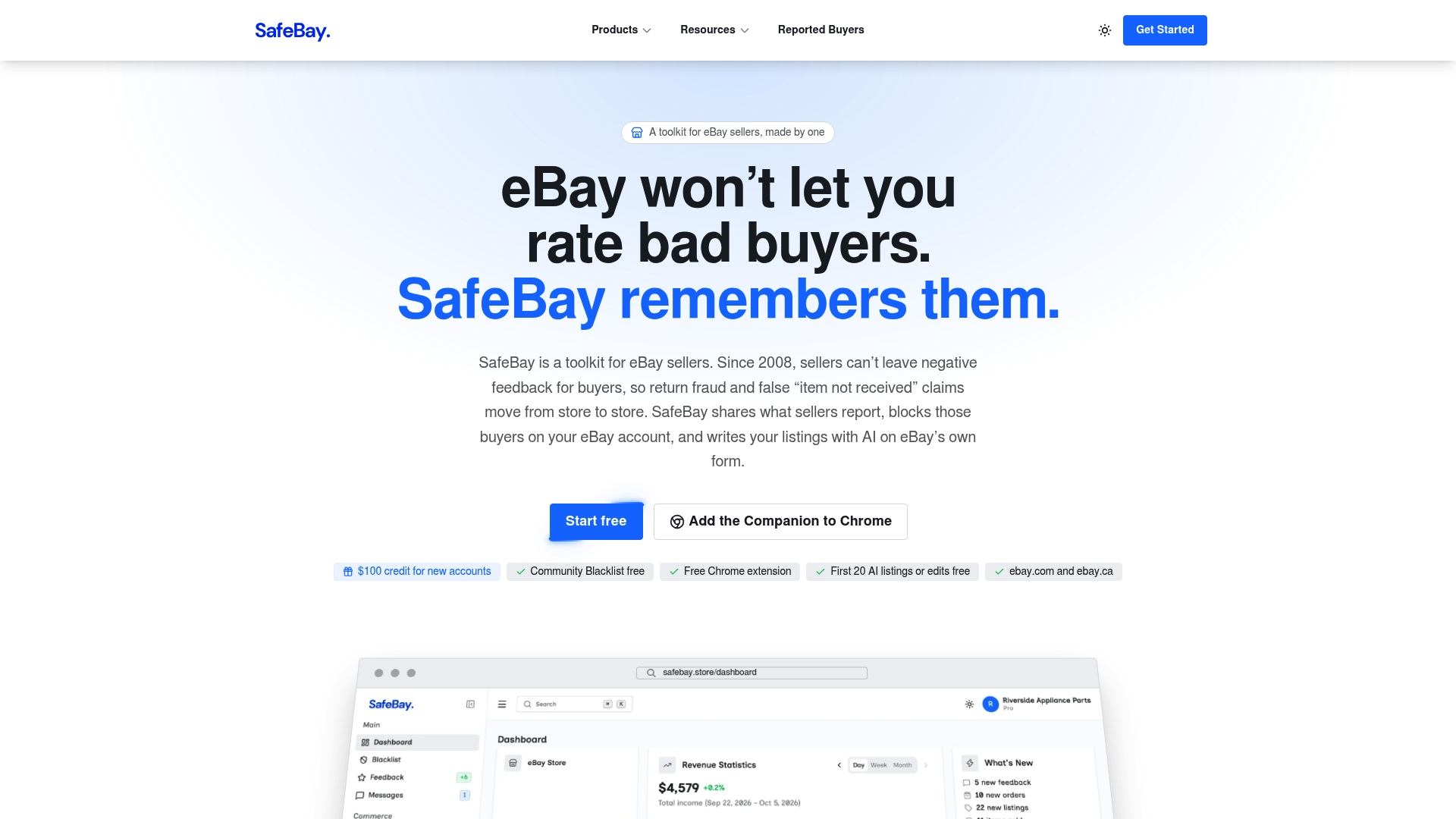
If you want to apply this article to a live catalog, start with the free plan: SafeBay offers it at $0 per month with basic features and limited AI usage. The Basic plan is $9.95 per month, Pro is $59.95 per month and Enterprise is $599.95 per month, each with advanced features and higher limits. The AI listing generator drafts titles, item specifics and a price suggestion directly on eBay, and the SafeBay Companion extension brings AI listing help and buyer risk alerts into your eBay workflow. See all plans on safebay.store.
A sensible order of work is to run your five highest-traffic listings through the analyzer, fix specifics and titles, record the baseline, and revisit after 30 days.
FAQ
What is the average eBay sales conversion rate?
There is no single average you can rely on, because rates differ by category, price band, listing type and season. Published figures are mostly self-reported by sellers. Build your own baseline from 30 days of Seller Hub data for each category and compare listings against that.
Where do I find my conversion rate on eBay?
In Seller Hub, open the Performance tab and choose Traffic. The report lists impressions, click-through rate, page views and sales conversion rate for the date range you set. Menu names change occasionally, so look for Performance first.
Why did my conversion rate drop when my sales went up?
The rate divides sales by views. If a promotion or a seasonal surge brings many more viewers than buyers, the rate falls even as orders rise. Compare orders, revenue and views together before deciding that something is wrong.
Does a longer return window improve conversion?
The 2026 guidance from StoresAutomation links simple returns and a 30-day window recommended by eBay to better conversion and search visibility. Apply the change through your business policies so it covers all listings, then measure over a full 30-day window.