

A duplicate listing on eBay is a second active fixed price listing for an identical item from the same seller, and the policy prohibits it. Most sellers who end up with duplicates did not intend to: a bulk upload ran twice, an item was relisted while the original was still live, or two SKUs pointed at one product. The fix is a short audit of your active listings, followed by a listing structure that makes the same mistake hard to repeat. For multiples and compatible parts, eBay provides specific, permitted formats, and a controlled relisting workflow keeps ended items from colliding with live ones.
What eBay counts as a duplicate listing
Under eBay's U.S. policy, a seller may not have more than one fixed price listing for an identical item at the same time. The rule applies even when the copies sit in different categories or are published under different usernames. It also reaches listings that are not significantly different from one another, for example a second listing that adds an inconsequential bonus item to the same product. The duplicate listings policy explains the purpose: buyers should see a wide range of options from many sellers, and no single seller should dominate search results.
That purpose explains how eBay reads borderline cases. The question is not whether the title is character-for-character the same, but whether the buyer is being shown the same offer more than once. A listing with a reworded title, a different photo and the same product underneath still occupies a second slot in search.
Common ways duplicates appear
Duplicates are rarely a strategy. They tend to come from routine work done twice:
- A bulk upload file is submitted again after a timeout or an error message.
- An item is relisted manually while the original listing is still active.
- Two imports overlap, so the same product enters the catalog from two sources.
- The same product exists under two SKUs, for instance after a supplier changes a part number.
- A bundle differs from the single item only by a trivial extra.
Anyone managing a few hundred listings or more should assume that some of these have happened at least once. For catalogs that grow through uploads, a guide on duplicate products caused by uploads and overlapping SKUs shows how the same pattern appears on another platform, which helps when you sell on more than one channel.
How to find and remove duplicate active listings
Every listing-level audit follows the same logic: export, sort, compare, confirm, end. Here is a routine that works for most seller accounts.
- Export your active listings. In Seller Hub, open Reports and download the active listings file. Make sure it includes the item number, title, SKU and product identifiers such as UPC or EAN.
- Sort by product identifier, then SKU, then title. Exact identifier matches surface first. Rows with the same UPC but different item numbers are your most likely duplicates.
- Scan near-matches by title. Sorting alphabetically puts reworded titles next to each other. Look for the same brand, model and part number in slightly different order.
- Open both listings and confirm. Compare condition, quantity, price, photos and shipping. A different condition or a genuinely different item specific can mean the two are not identical, so confirm before you end anything.
- Keep the listing with the strongest history. That usually means the one with the most sales, watchers and feedback attached. End the others instead of editing them into something slightly different.
- Record the cause. If the duplicates came from a double upload or an overlapping import, fix that step so the next audit is shorter.
Two cautions apply. First, do not respond to a duplicate by changing a word in the title and keeping both listings live: the policy covers listings that are not significantly different. Second, if you have inventory in several places, consolidate the quantity into the surviving listing so that you do not oversell. An unexpected cancellation because an item is out of stock counts against you, as the standards section below explains.
How often should you audit? A monthly pass is reasonable for most accounts, and an additional pass after any bulk upload, import or change of listing tool is worth the ten minutes.
Selling multiples without creating duplicates
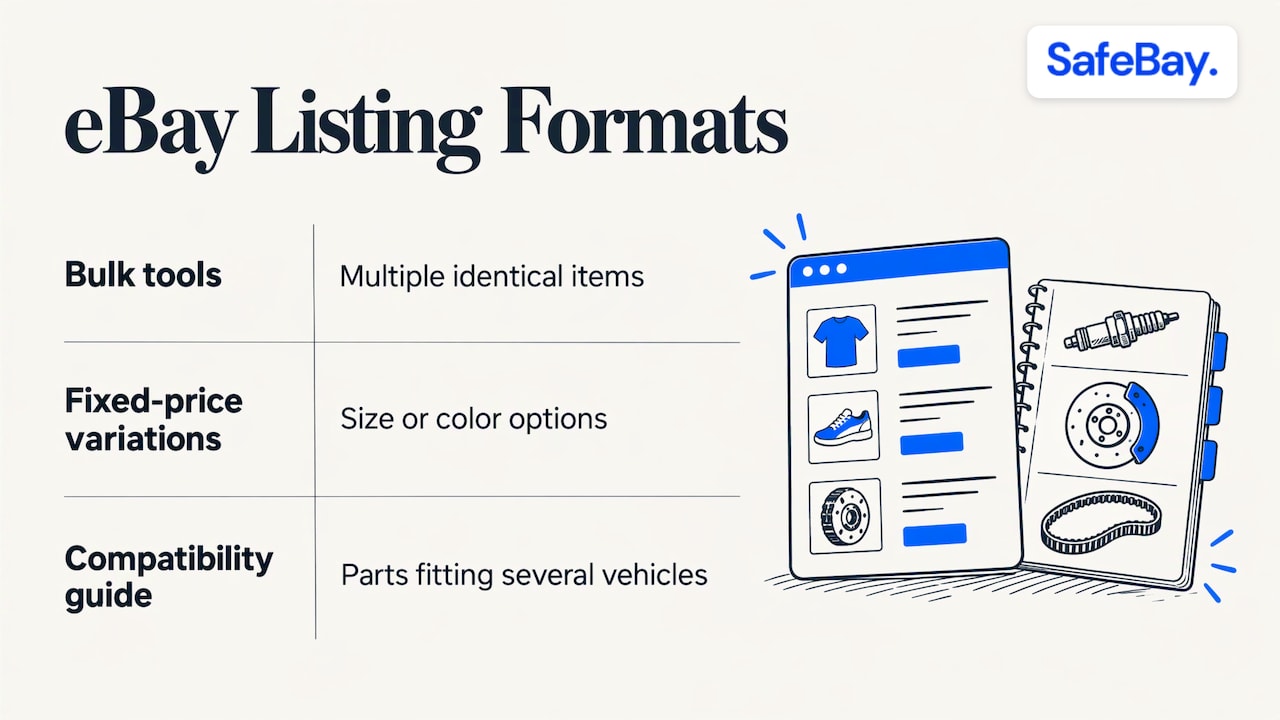
The policy does not ask you to stop selling the same product repeatedly. It asks you to use the formats designed for it. eBay points sellers to three options: eBay bulk listing tools for multiple identical items, a single fixed price listing with variations for size or color, and the parts compatibility guide for items that fit several vehicles.
Multi-quantity listings
If you have ten identical units, one fixed price listing with a quantity of ten is the correct structure. eBay's help page on multi-quantity listings and variations notes that fixed price listings are Good 'Til Canceled: they stay active until the quantity sells or you end them. It also describes an out-of-stock option that keeps the listing active but hidden from search when quantity reaches zero, which may help protect you from a transaction defect for running out of stock. Using that option avoids the temptation to end and relist every time stock returns.
Variations
When the same product comes in several sizes, colors or similar attributes, put them in one listing with variations. Each variant carries its own quantity and can carry its own price within the listing. This also gives buyers one page to compare, and eBay's search manipulation policy recommends the same structure to achieve the best position in Best Match.
Appliance parts and other items that fit many devices
Compatible parts are where legitimate multiples are most common. One water filter, door gasket or control board may fit dozens of models. The duplicate listings policy allows up to 5 separate fixed price listings of an identical item designed to fit multiple devices, provided each listing spells out the brand or model it fits. That gives you five opportunities to speak to five different groups of buyers, such as one listing per brand family, instead of one overloaded title.
In practice:
- Write each listing around a distinct set of models, and state those models in the title and item specifics.
- Do not reuse the same fitment list in two listings, because that recreates the duplicate.
- Verify fit against the manufacturer's model number before you publish. Our guide to verifying appliance parts compatibility by model number walks through the lookup.
For motor vehicle parts the mechanism is different. eBay Motors' parts compatibility guidance says a seller can add up to 3,000 compatible models manually to one listing. If a Manufacturer Part Number fits more than 3,000 vehicles, you may list multiples of the item, up to 5 listings, under the Duplicate Listing Policy. Compatible vehicles belong in the compatibility table, not in the title.
Auctions and relisting: where the rules differ
Auction-style listings follow a narrower exception. Identical auction listings are allowed only when they share the same start price, reserve price, title and description, and do not use Buy It Now. Only one duplicate auction listing without bids is visible to buyers at a time, and the next one appears once the first receives a bid or ends.
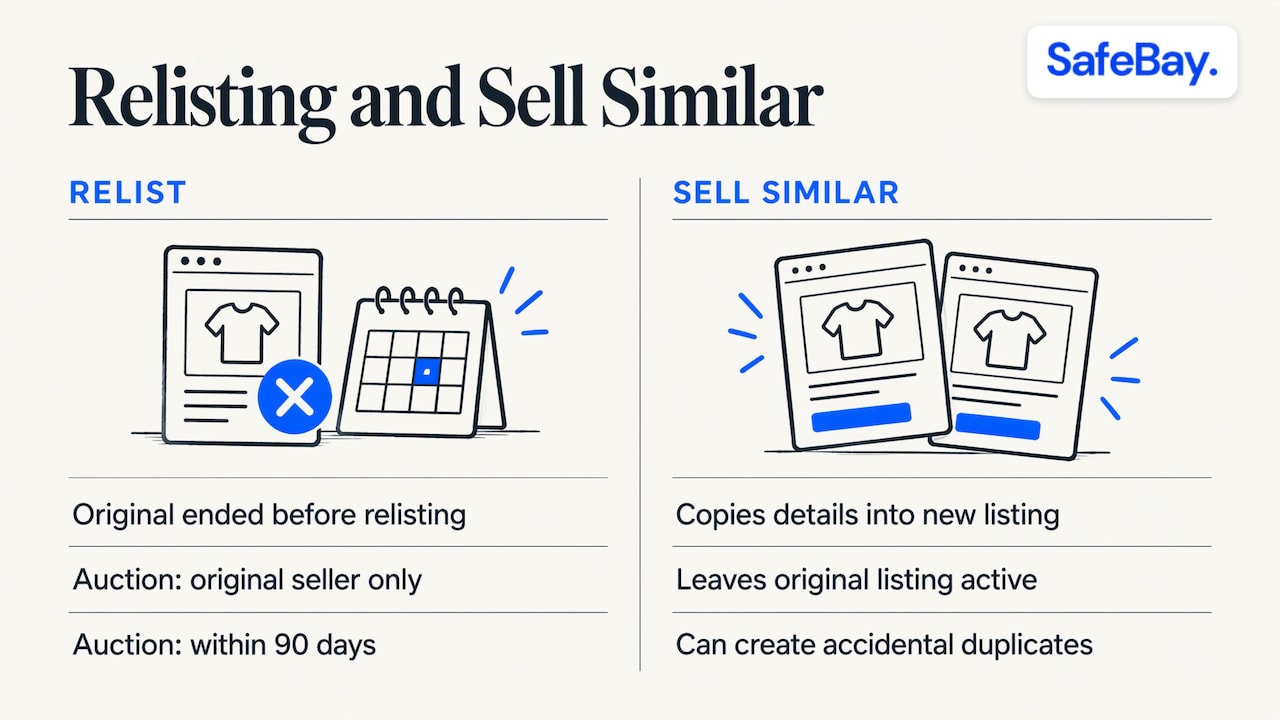
Relisting is a separate question from duplication, and the difference is timing. A relist is legitimate when the original has ended. eBay's developer documentation for the RelistItem call states that an ended auction-style item can be relisted only by the original listing user, only after it has ended, and within 90 days of the original end date. Fixed price, multi-item and multi-variation listings use a separate call, RelistFixedPriceItem. The practical rule for any seller: the original must be closed before the new version goes live.
Sell Similar and relisting are easy to confuse here. Sell Similar copies the details into a new listing and leaves the original in place, so it is the most common source of accidental duplicates when the original is still active. Our comparison of auto relist versus Sell Similar sets out when each fits, and the guide to how to auto relist on eBay covers the rules and limits.
What duplicates can cost you
eBay's rules and policies overview lists the range of actions it may take when a policy is violated: ending listings or canceling transactions, hiding or lowering listings in search results, lowering the seller rating, restricting buying or selling, forfeiting fees, removing buyer or seller protections, and suspending the account. Which of these applies depends on the severity and history of the violation, so the realistic outcome for a first accidental duplicate is usually mild. The cost grows when the pattern repeats.
The selling practices policy adds a related expectation: item details should be accurate and consistent, and you should review and update listings frequently so that inventory status and condition stay correct. Duplicates work against that requirement in a direct way, because two live listings for one stock position can both sell.
How this connects to seller performance standards
Duplicates do not appear as a line item in the performance standards, but overselling does. Under eBay's seller standards policy, a transaction defect is counted when a seller unexpectedly cancels an order, for example because the item is out of stock or was sold elsewhere, or when a buyer-reported issue ends in a case closed without seller resolution. The same policy sets these U.S. minimums:
| Measure | Minimum standard |
|---|---|
| Cases closed without seller resolution | No more than 2, or 0.3% of transactions, whichever is higher |
| Transaction defect rate | No more than 2% |
| Evaluation date | The 20th of each month |
| Ratings | Top Rated, Above Standard or Below Standard |
A seller is evaluated Below Standard only if the defects involve more than 4 different buyers, and only paid transactions count, with one defect per transaction. Two listings sharing a single unit of stock is exactly the kind of situation that produces a cancellation, so cleaning up duplicates protects the metric even though it is not what eBay measures directly. The figures are as stated in the policy dated October 2026 and can be revised, so check the policy page for the current version.
Building a workflow that prevents duplicates
An audit fixes today's problem. A workflow prevents the next one. These habits address the causes listed earlier:
- One product, one master record. Keep a single SKU per product and map it to the identifier, so a supplier's renumbering does not create a second record.
- Check before you bulk upload. Compare the new file against your active export and remove rows that already exist. If you are weighing tools for this, the article on choosing an eBay bulk listing tool without losing control lists what to look for.
- Never retry blindly. After a timeout or error, check whether the listings were created before you submit again.
- Let the original end first. Relist only ended items, and use the out-of-stock option for items that you restock regularly.
- Differentiate genuine variants properly. If two listings differ in compatibility, use the permitted limit of 5 with distinct fitment, and otherwise combine them with variations.
- Schedule deliberately. Scheduled launches can overlap with live listings if they are not tracked, so review the steps for scheduling listings on eBay.
- Watch the numbers. Quantity, sell-through and sales by listing show where one SKU is split across two pages. Our overview of eBay sales analytics covers the reports that matter.
Listing quality also reduces the pull to create copies. When a listing has a clear title and complete item specifics, it does not need a second version to be found. The guide to optimizing eBay listings describes seven steps to catch visibility gaps, and the free eBay Title Builder builds keywords from titles that sold.
Where SafeBay fits
SafeBay is a toolkit for eBay sellers, and several of its tools support a clean, single-listing-per-product catalog. Its auto-relisting works on ended items, which matches the policy requirement that the original has ended before a new version appears. Its AI listing generator creates titles, item specifics and pricing suggestions directly on eBay's platform, so one well-built listing can take the place of several weak ones. For appliance parts sellers, the compatibility lookup helps match a part to the models it fits before you decide how many listings the part needs.
The Free plan costs $0 per month and includes basic features with limited AI usage. Basic is $9.95 per month, Pro is $59.95 per month and Enterprise is $599.95 per month, each with advanced features and higher limits. You can compare them on the SafeBay plans page.
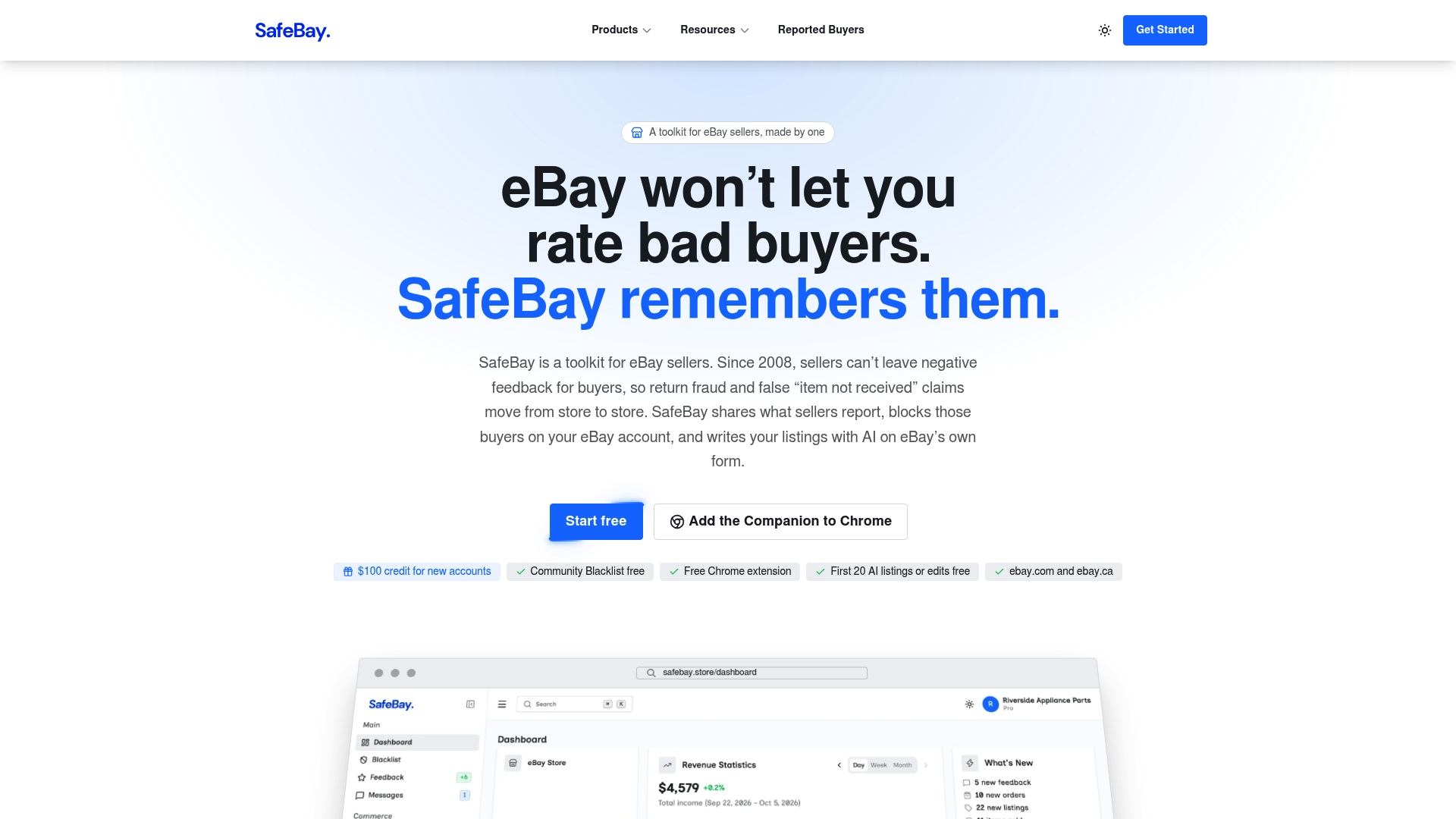
SafeBay also addresses a different risk that sellers face alongside policy compliance: problem buyers. The SafeBay Companion Chrome extension syncs a community-reviewed buyer blacklist to your eBay Blocked Buyers list, and you can check an eBay buyer's status or report a buyer with evidence. Since eBay stopped allowing sellers to leave negative feedback for buyers in 2008, return fraud and false claims have had few counterweights, and fewer cancellations and disputes also help keep your defect rate within the standards above.
Our perspective
Duplicate listings are a process problem more often than a compliance problem. Sellers who run into them are typically busy, adding stock, relisting and testing titles, and the platform's rules punish the side effects of that speed. We think the right response is structure: one listing per product, variations for attributes, multi-quantity for stock, and the permitted five listings only where fitment genuinely differs.
The same reasoning guides how we build SafeBay. A seller's time is best spent on decisions that affect margin, not on hunting for copies of the same SKU. That is why we put relisting of ended items, AI-generated listings and a compatibility lookup in one toolkit that works on eBay itself, and why our buyer blacklist records the reasons and dates for each block, separates private from public blocks and supports appeals. Protecting an account means protecting its listings and its buyer relationships together.
If you take one step after reading this, export your active listings and sort them by product identifier. The result usually tells you more about your catalog than any dashboard.
Mike Brydko
FAQ
Is it allowed to have duplicate listings on eBay?
Not for fixed price listings. eBay prohibits more than one fixed price listing of an identical item from the same seller at the same time, including across categories or usernames. Limited exceptions exist for auctions with matching terms and for items designed to fit multiple devices, up to 5 listings.
How do I sell several of the same item without a duplicate?
Create one fixed price listing and set the quantity to the number of units you have. If the units differ by size or color, use a single listing with variations. When the quantity reaches zero, the out-of-stock option keeps the listing active but hidden from search results.
Can I relist an item that did not sell?
Yes, after the original listing has ended. For auction-style listings, eBay's developer documentation says the original seller can relist within 90 days of the end date. Make sure the earlier listing is closed first, otherwise the new one may count as a duplicate.
Do duplicate listings affect my seller performance standards?
They are not a named measure, but the consequences can reach them. If two listings share one unit of stock and an order is canceled, that cancellation counts as a transaction defect. The U.S. minimum is a transaction defect rate of no more than 2%.
Sources
- Duplicate listings policy | eBay
- Search manipulation policy | eBay
- Multi-quantity listings and listings with variations | eBay
- Parts Compatibility Listings | eBay Motors
- RelistItem - API Reference - Trading API
- eBay rules and policies overview
- Selling practices policy | eBay
- Seller standards policy | eBay