SafeBay TV puts your store's day on the TV in your packing room: the orders waiting to ship, what has gone out, what sold today and what needs you. It has always run in a TV's web browser. Now the SafeBay TV app is live on Roku, Apple TV, Google TV and Amazon Fire TV, so the board starts from the TV's home screen, signs in once and stays on.
Key Takeaways
- The SafeBay TV app is available for Roku, Apple TV, Google TV (and other Android TV devices) and Amazon Fire TV. Any other TV with a web browser can open safebay.store/tv.
- The board lists every order waiting to ship with its photo, your SKU or shelf, the quantity and eBay's ship-by day, and turns orders due today amber and late ones red.
- You pack with the remote: move to an order and press OK. Helpers without a SafeBay account can pack from their phone through a link that ends at midnight.
- The board is free on every plan. The AI ticker and the evening brief come with Basic and up.
What the board shows
The board is built for a screen across the room, not a laptop on the bench. Everything on it updates as it changes in eBay: a new order slides into the queue within about a minute of the sale, and an order marked shipped leaves it.
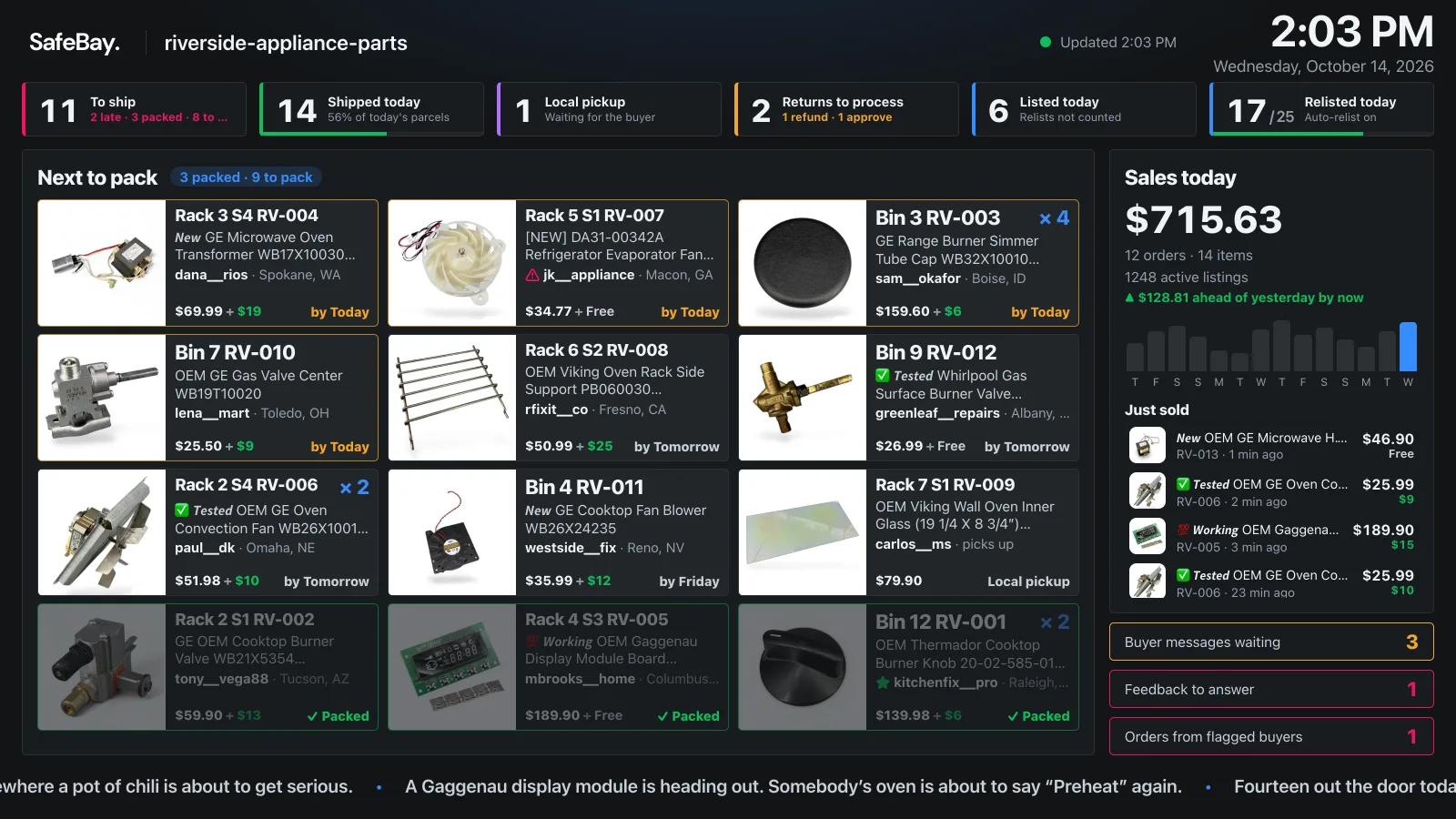
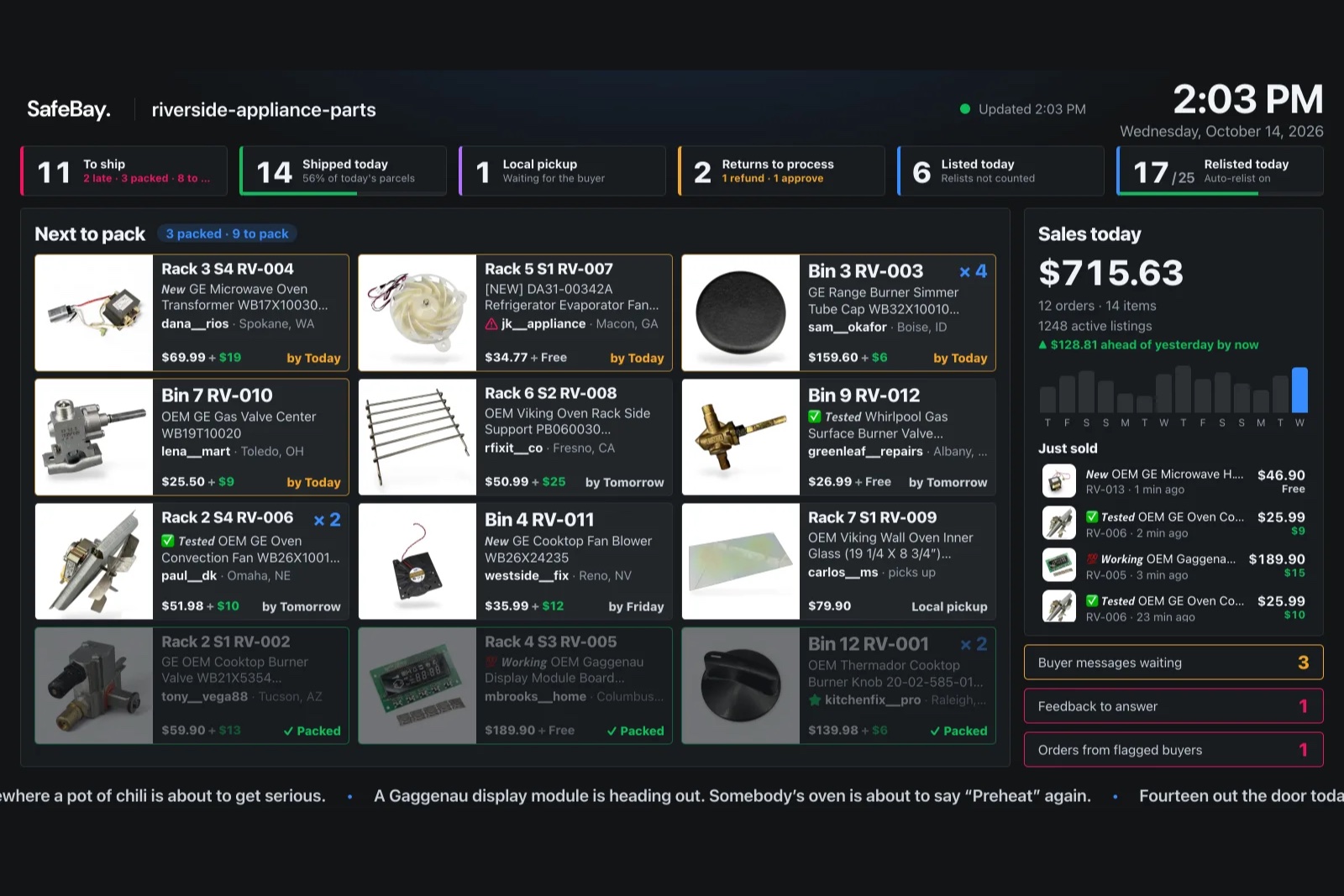
- Next to pack. Every order waiting to ship, oldest ship-by first, with the item's photo, the SKU as you wrote it, the quantity, what the buyer paid for shipping, and the day eBay expects it to ship.
- The day in numbers. To ship, shipped today, local pickups, returns waiting on you, and how many items were listed and relisted today.
- Sales. Today's sales against yesterday at the same hour, the last 14 days, and the latest sales as they come in.
- What needs you. Buyer messages waiting, feedback to answer, and orders from buyers other sellers have reported.
Each order card shows the buyer's eBay ID and the city and state the parcel goes to. It never shows the buyer's name or street address, so the board is safe to have on a wall where others can see it. If you would rather your team not see the money, the TV's options hide today's sales total or the prices.
Pack with the remote
eBay only knows when an order has shipped, so a seller who packs everything first and prints labels at the end used to see a board that did not move all afternoon. SafeBay TV now tracks packing itself.
- Move to an order with the arrow keys.
- Press OK to mark it packed. The card turns grey with a green "Packed" mark, and the highlight jumps to the next order still to pack.
- When everything is packed, the board tells you how many labels to print.
Someone helping in the packing room does not need a SafeBay account. The TV's menu shows a QR code for a phone link that lists the same queue in the same order, with a tap to pack. The link ends at midnight, or when the TV is signed out. If the SafeBay app is installed on that phone, the link opens in the app.
The same menu sorts the queue by due date or by shelf, so a walk along the racks follows the list, and can group orders by the day they are due.
Every sale gets a moment
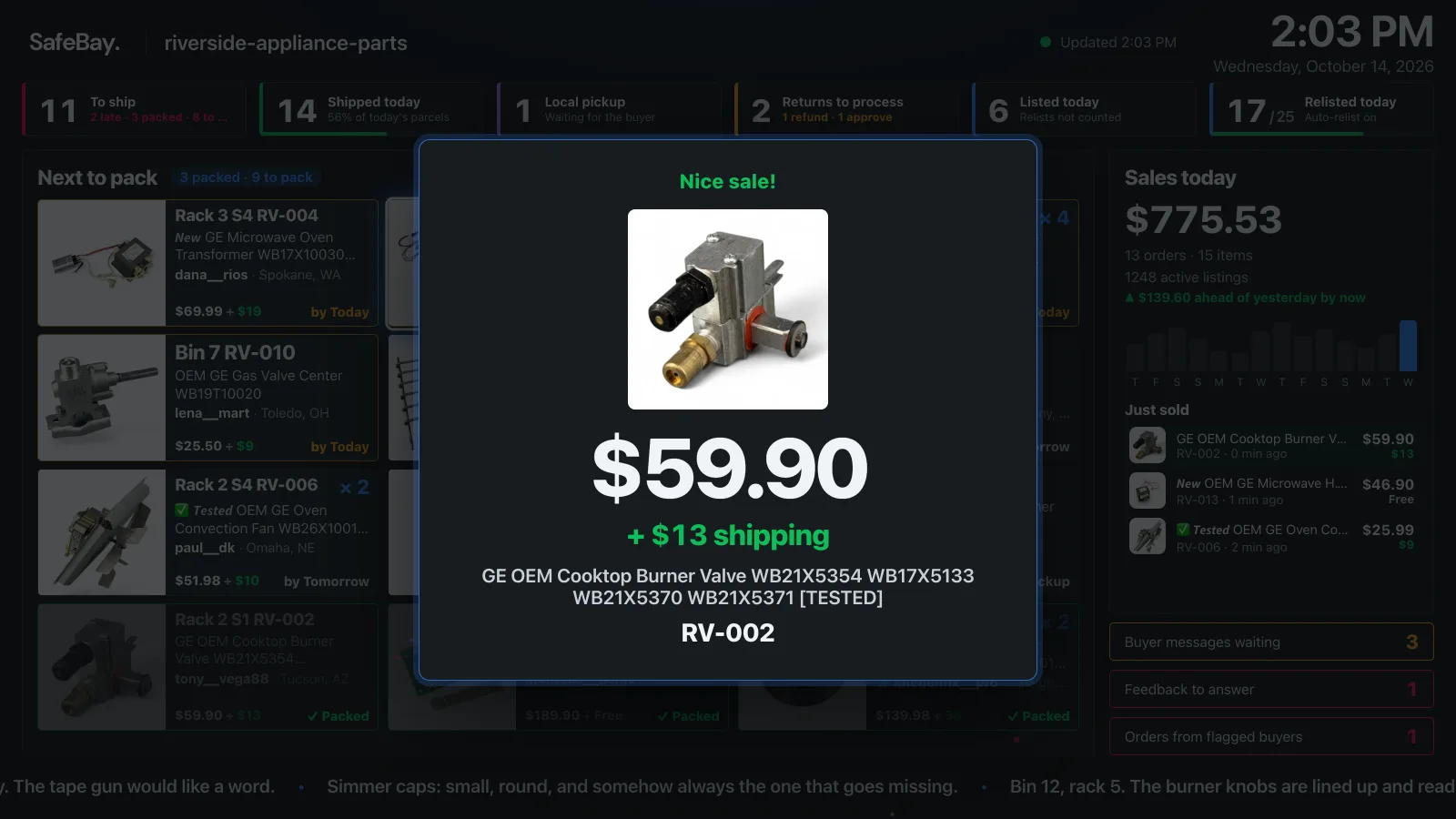
A new sale fills the screen for a few seconds with the item's photo, the price, the shipping the buyer paid and your SKU. Bigger sales get bigger celebrations, from a confetti pop on a small sale to fireworks on a big one. There is no sound.
After the pickup: tomorrow's orders and the evening brief
Set your carrier's pickup time and pickup days once, on the TV or at safebay.store/tv/link. After the pickup, the board switches from packing to two pages that take turns: the orders for tomorrow's pickup, with anything that missed today's marked, and a short brief on the day.
The brief compares today with the same weekday over the past eight weeks, notes records and streaks, looks at the last week and month against the period before and the same days last year, and points out what last year's coming weeks looked like. Every figure in it is counted by SafeBay from your orders and listings; the AI only writes it up. TVs set to hide sales get a version with percentages and counts and no amounts.
Set it up in a minute
- Install SafeBay TV from your TV's app store: Roku, Apple TV, Google TV and Android TV or Amazon Fire TV.
- Open it. The TV shows a short code and a QR code.
- On your phone or computer, signed in to SafeBay, enter the code at safebay.store/tv/link or scan the QR code. The board appears on the TV.
You can also sign in on the TV itself with your email and password. Your eBay store has to be connected to SafeBay first, since that is where the orders come from. A TV with no SafeBay app can show the same board in its web browser at safebay.store/tv.
To see the board before installing anything, the SafeBay TV page runs the real board on a demo store.
Frequently asked questions
Which TVs does SafeBay TV work on?
There are apps for Roku, Apple TV, Google TV and other Android TV devices, and Amazon Fire TV. Any other TV, projector or spare monitor with a web browser can open safebay.store/tv and show the same board.
How much does SafeBay TV cost?
The board, the apps, packing with the remote and the phone link are free on every SafeBay plan, including Free. The AI ticker along the bottom and the evening brief come with Basic, Pro and Enterprise.
Does the board show buyers' names or addresses?
No. An order card shows the buyer's eBay ID and the city and state the parcel ships to, never the buyer's name or street address. You can also hide today's sales total and the prices from the TV's options.
Can someone pack without a SafeBay account?
Yes. The TV's menu shows a QR code for a phone link with the same queue and a tap to pack. It shows nothing else of your account and stops working at midnight or when the TV is signed out.
Can I use more than one TV?
Yes. Link up to 20 TVs to one store; each one keeps its own sort order and display options, and they all update together when something changes.