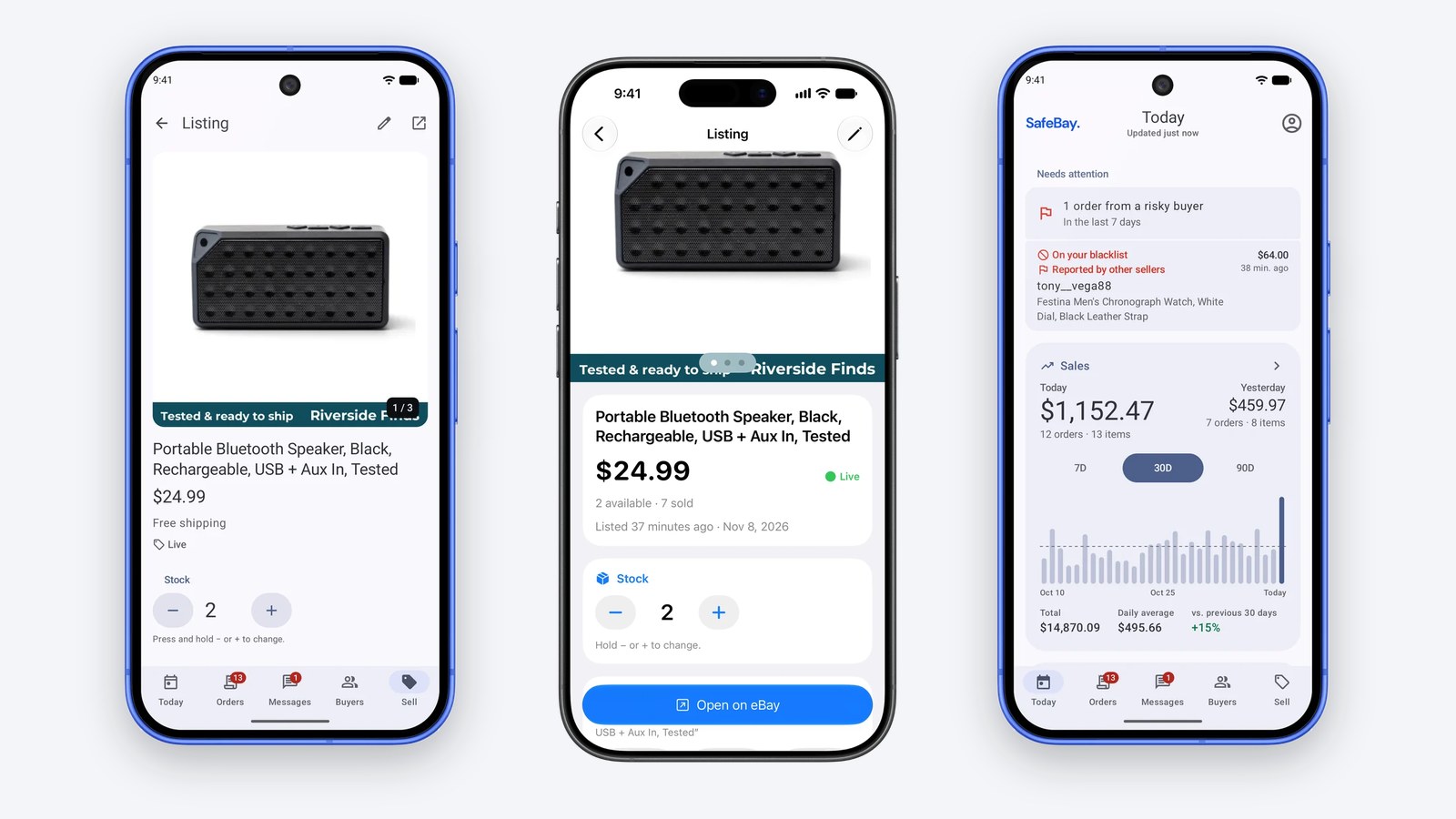
SafeBay is now an app on your phone. The iPhone app is on the App Store as SafeBay PRO, and the Android app is on Google Play. Both are free to install and work with the account you already have. This post walks through what they do, with the most time on the part sellers asked for first: making, fixing and relisting eBay listings without sitting down at a computer.
Key Takeaways
- Take the photos, tap Fill with AI, and the app writes the title, picks the category and fills the item specifics and description. It takes about twenty seconds.
- Open any live listing and the AI check lists what to fix, with a Fix button beside each finding and Fix All for the lot.
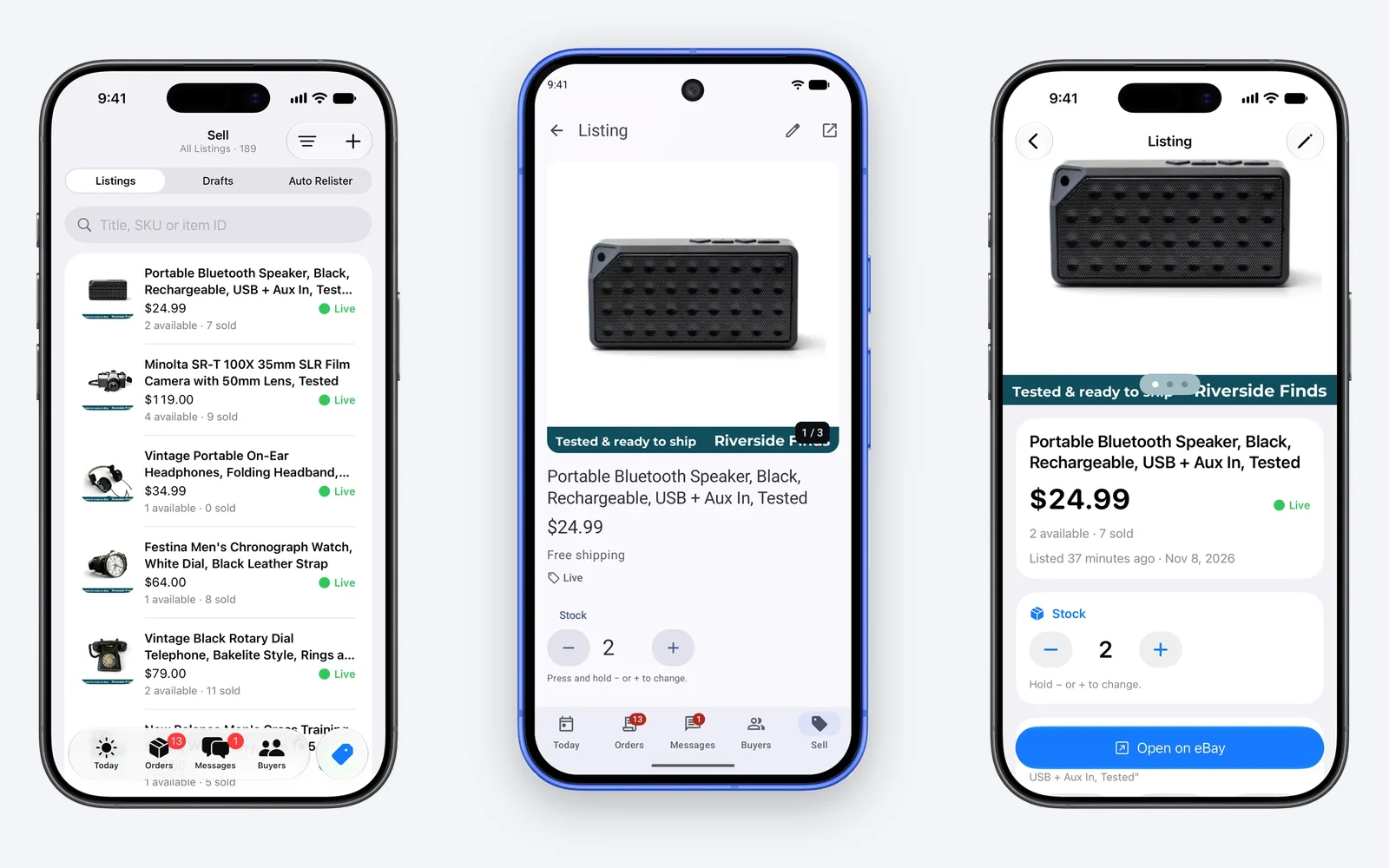
- Relist Now puts a stale listing back among eBay's newest listings with one tap. Stock and SKU change right on the listing's screen.
- Photo Studio removes the background from your photos and can add your logo and caption to the copies eBay gets.
- Orders, packing, buyer messages, returns and risky-buyer warnings are in the same app, and it shares one account with safebay.store.
Create a listing from photos
A new listing starts with the camera. The app's camera takes full-quality photos in the frame eBay shows them in, and you can pick photos you already have. From there:
- Identify from Photos. Google Lens and AI look at the photos and say what the item is: brand, model, the numbers printed on it. If it's right, tap Use. If you already know what it is, type a few words or a part number.
- Fill with AI. The app writes the title in your own title style, picks the eBay category, and fills the item specifics and the description. It reads what other sellers of the same item put in their specifics, so the long tail of fields gets filled too.
- The check runs by itself. Right after the fill, SafeBay checks the new listing the way it checks a live one, reads the photos for things like colour, and applies the fixes.
- Suggest a Price. You see what you sold it for last, what it sold for on eBay and what is live now. Tap a figure to use it.
- Publish. eBay's own check runs first, so a problem comes back as a message on the field it concerns, and nothing half-made goes live.
The condition and your shipping, payment and return policies come from your last listing, so you don't choose them again. A listing you leave unfinished is saved as a draft, and the same draft opens on the website and on your other phone.
Photos that look like a studio took them
Clean Up All Photos cuts each item out of its background, centres it on white and adds a soft shadow. You can have the app do that to every new photo as you take it. The editor also turns, mirrors, straightens and crops.
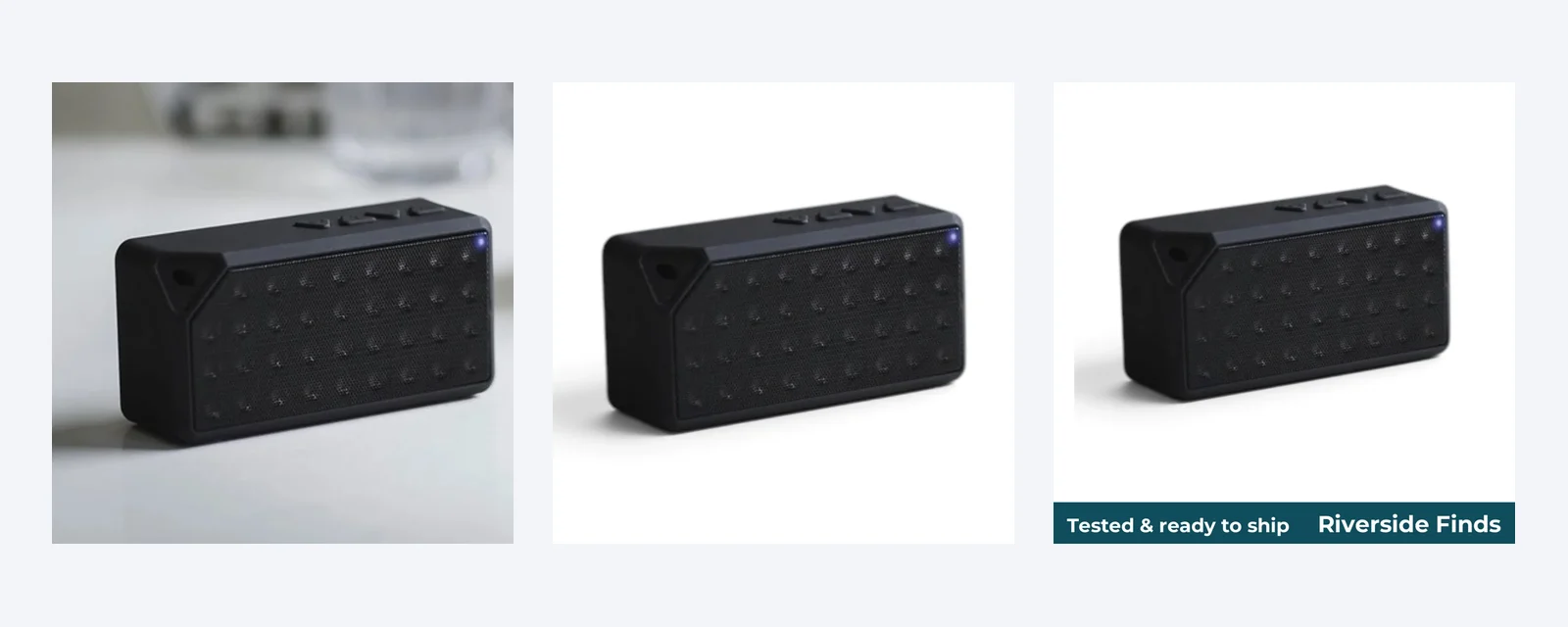
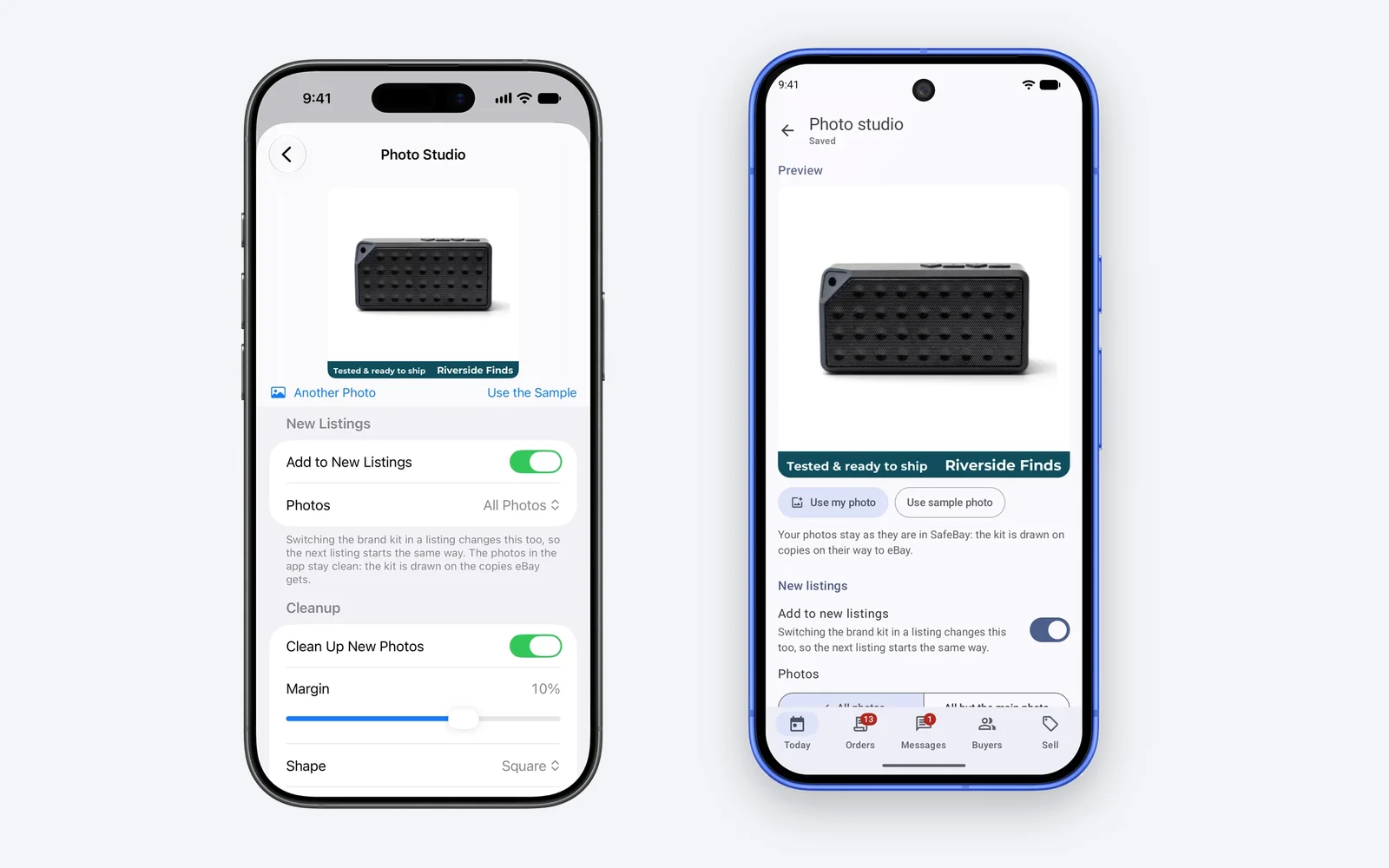
The brand kit adds your logo, a caption band, marks or a border. SafeBay keeps your photos clean and draws the kit only on the copies it sends to eBay, so switching it off for a listing costs you nothing. Photo cleanup comes with Basic and above, the brand kit with Pro and Enterprise.
Let AI revise a live listing
Every live listing opens for editing in the same composer, filled with what eBay has. Tap the AI check and it reads the title, the item specifics, the description, the condition text and the photos, then lists what it found in two groups:
- Fix for you. A title with room left gets a longer one built on your title pattern. An empty specific gets its value. A placeholder such as "N/A" is replaced or removed. A condition text that differs from the one in your settings is put back. Each finding has its own Fix button and an Undo, and Fix All applies them in a safe order.
- Needs you. Things only you can decide, such as a better category for the item.
The check won't guess. It takes a size only from a ruler, a label or your own words, and a quantity only when one photo shows that many items or you wrote it. Save to eBay sends the changes to the live listing. If the listing has been up for two weeks or more, the app then offers to relist it.
Change stock, fix a SKU, relist
Some changes don't need the composer at all. On a listing's screen:
- Stock. Hold − or + and the new quantity goes to eBay a few seconds later, with an Undo.
- SKU. Edit your shelf code in place.
- Prices. Buttons open eBay's sold prices, a search for the item and your own listings of it.
- Relist Now. One tap relists the listing by the method you chose in your settings. It comes back with a new item number, among eBay's newest listings. eBay may charge its insertion fee.
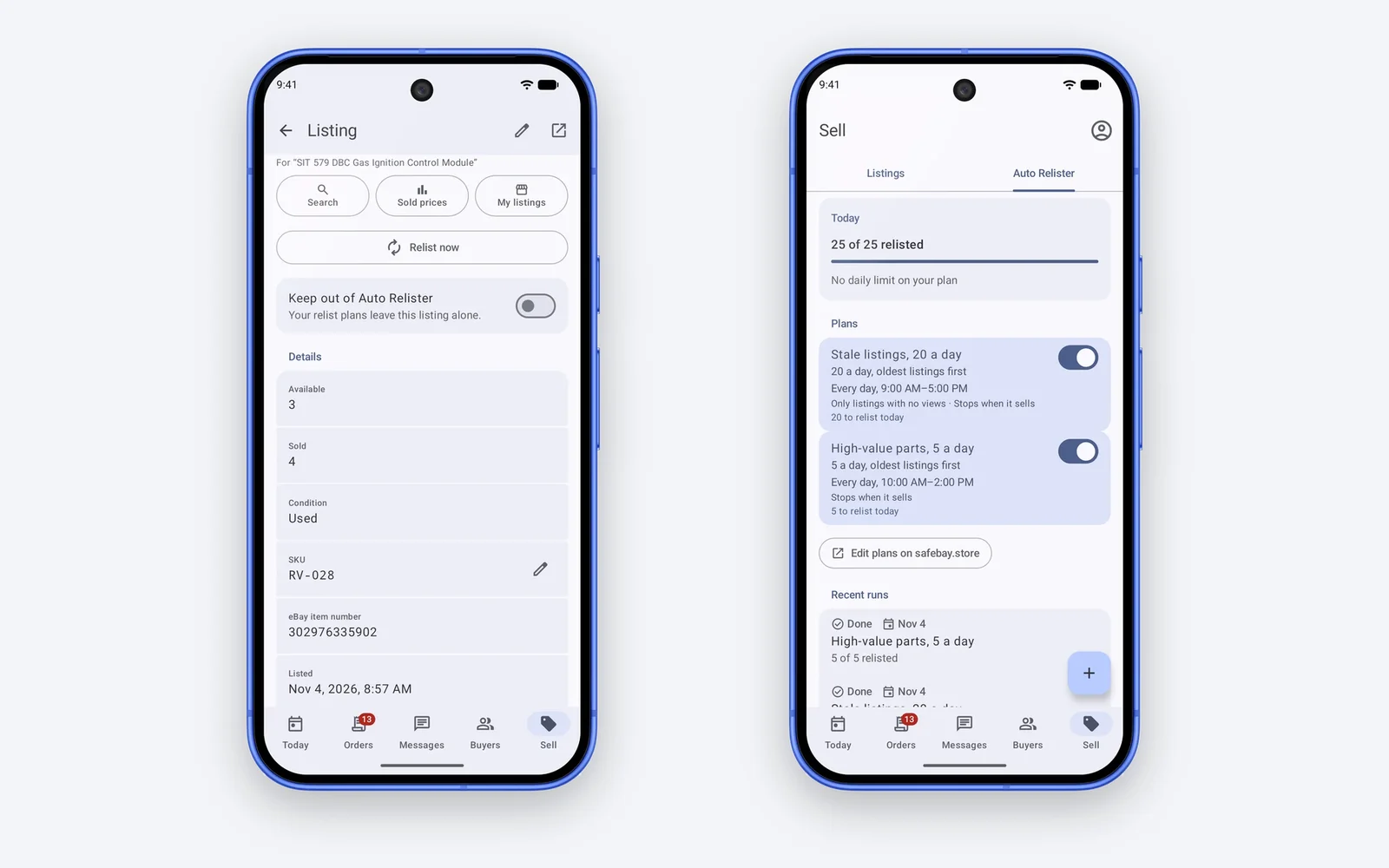
If you use the Auto Relister, the app shows today's count and the latest runs, and lets you switch each plan on or off.
Answer buyers and check them before you ship
The inbox holds every eBay message with the item it is about and your stock of it above the question. AI Reply writes the answer from the listing, the buyer's orders and the whole thread, and you send it. On Pro, your auto-reply rules answer on their own while you work.
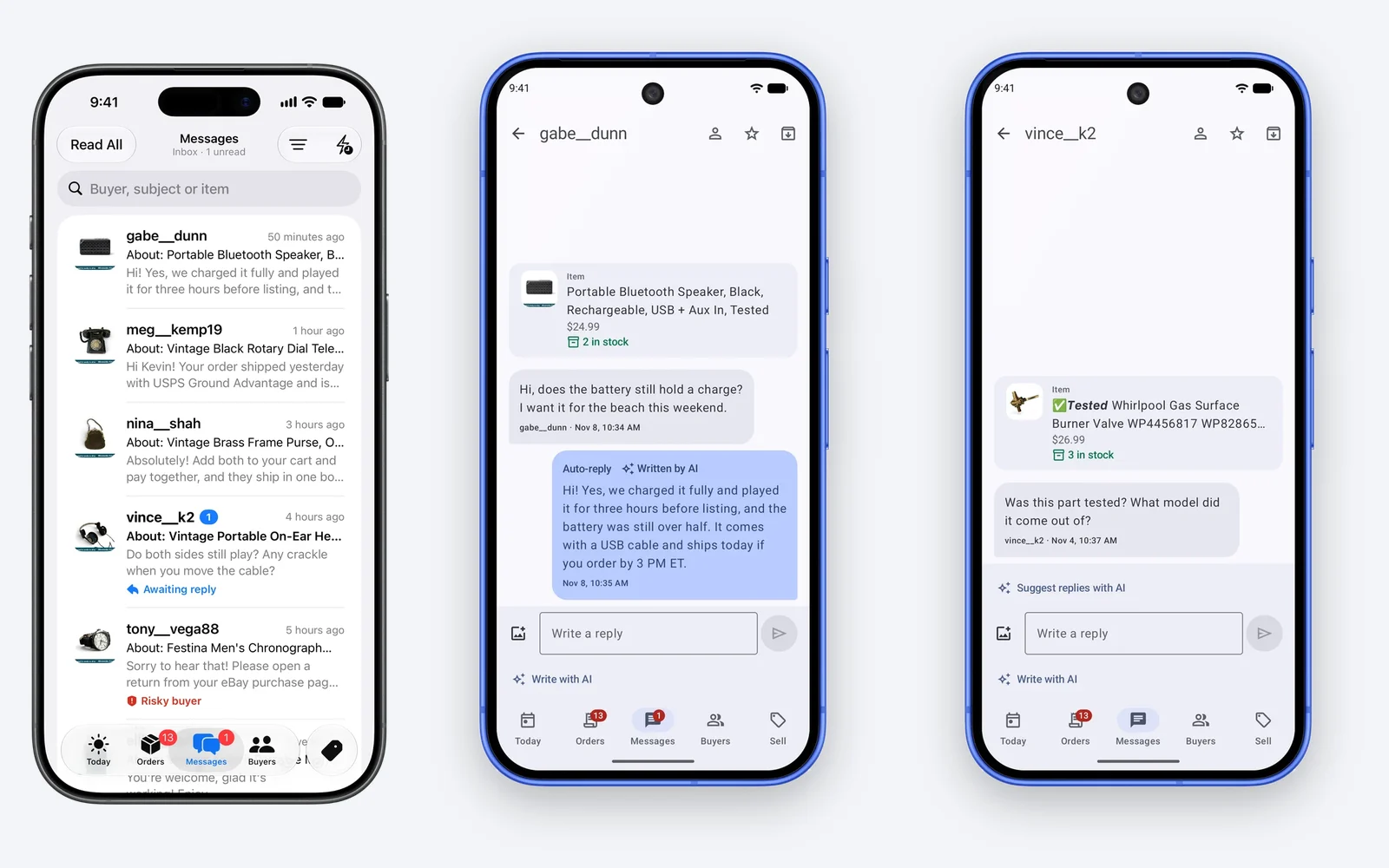
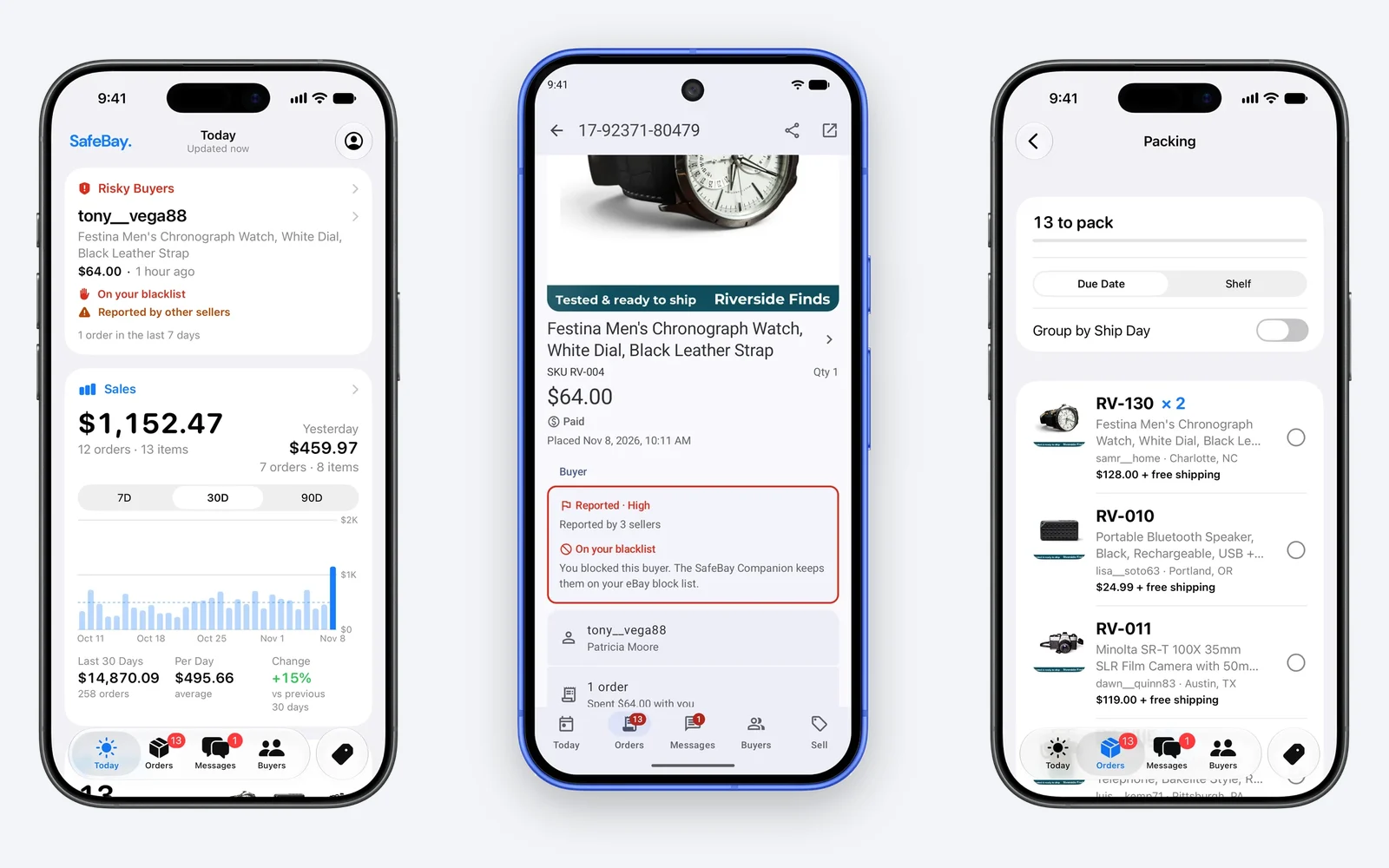
An order from a buyer other sellers reported is marked the moment it arrives, on Today and on the order itself, with the risk level and whether you blocked them yourself. You can report a buyer or block one from the same screen. A report is other sellers' account of what happened and goes through moderation before it counts.
Five ways to use it
At the shelf, before you buy
You're at an estate sale holding a camera. Photograph it, let the app identify it and open Suggest a Price. You know what it sold for on eBay before you pay for it, and the draft is waiting when you get home.
At the bench
You test an item, take four photos and tap Fill with AI. While the next item warms up, the listing is written, checked and priced. You read it over, publish and put the item on its shelf with the SKU the app remembered from your last one.
The listing that stopped selling
A listing has sat for two months. Open it, run the AI check, tap Fix All, look at the sold prices and adjust yours, save, and accept the relist the app offers. That is a few minutes on the couch for a listing that is new again in search.
The one-person store
A push shows a new order with its photo, the buyer's city and the total. Packing lists what to ship in eBay's ship-by order or by shelf. A buyer asks a question while your hands are full, and the reply is drafted when you pick the phone up.
The store with a packer
The packing room has a SafeBay TV. Your packer scans its code and the queue opens on their phone with no account. Each order they tick off shows on the TV and on your phone within seconds.
What it costs
The apps are free and work on SafeBay's Free plan: orders, packing, messages, risky buyers, quick edits and Relist Now, plus 4 AI listings a week. Basic adds more AI listings and photo cleanup. Pro adds the brand kit and automatic AI replies. Enterprise adds the Parts Locator, which searches 418,000 appliance models on the phone itself. Basic and Pro start with 14 days free, with no card. The pricing page has the figures. Plans bought inside the iPhone app are billed by Apple at App Store prices.
Get the apps
- iPhone: SafeBay PRO on the App Store. It needs iOS 26 or newer. Sign in with Apple, Google or your email, or create your account in the app.
- Android: SafeBay on Google Play. It needs Android 10 or newer. Sign in with Google or your email.
You connect eBay on eBay's own page, so SafeBay never sees your eBay password. If you already use SafeBay, sign in and your store is there. The apps page shows more screens, and if you'd rather list from a computer, AI Listings covers the website and the Chrome extension.